CHOOSE A VERSION
2 versions · same consoleChoose an original release, regional version, revision, bootleg or clearly labelled ROM hack/mod, then press Play. Hacks may change the gameplay. Switching versions restarts the player.
Selected: Default · Europe · En,Fr,De,Es,It,Nl,Sv · Europe
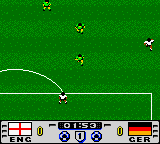
The game loads when you press Play · press “Play Now” inside the game if it asks.
Golden Goal (Europe) (En,Fr,De,Es,It,Nl,Sv)
Golden Goal
Golden Goal on GBC
- Game Boy Color
- Sports
- 5· 0 votes
GAME INFO
- Platform
- Game Boy Color
- Genre
- Sports
- Region
- Europe
How to play Golden Goal online
Getting Started
When you load Golden Goal, you'll likely be presented with a menu. Use the Arrow Keys to navigate options and press X (A button) to confirm your choice. You can usually select to play a single match or a simple tournament mode. Choose a team (if the option exists) and then start the match.
The core gameplay involves moving your player with the D-Pad, passing or shooting with S (B button), and possibly using A (X button) for secondary actions like sprinting or switching players - the exact functions depend on the game's control scheme. Your objective is to score goals by getting the ball past the opponent's goalkeeper. Defend by chasing the ball and tackling the opponent.
If you lose a match, you can restart or try again. There is no deep strategy; just select a team and play. Enjoy the simple arcade feel and try to win the Golden Goal - the winning score in extra time if the match is tied.
CONTROLS
Controls
- Arrow Keys: D-Pad / Movement
- X: A button (jump / confirm)
- S: B button (run / attack / cancel)
- Enter: Start / Pause
- V: Select
Golden Goal FAQ
Is Golden Goal exclusive to Game Boy Color or did it appear on other systems?
Golden Goal appears to be a Game Boy Color exclusive title. There are no widely documented ports to other platforms, and it was likely developed specifically for the handheld during its active market life.
Can players save progress in Golden Goal?
Most Game Boy Color sports games of this era used password systems or no saving at all. For Golden Goal, saving progress is not a documented feature; matches are intended to be played in single sessions without persistent data.
Does Golden Goal have a multiplayer or co-op mode?
Given the Game Boy Color's link cable capability, some sports titles supported two-player head-to-head matches. However, for Golden Goal, multiplayer support is not confirmed in available documentation. It is safest to assume it is a single-player game only.
You may also like
All Game Boy Color games











GAME INFO
- Platform
- Game Boy Color
- Genre
- Sports
- Region
- Europe
COMMENTS (0)
No comments yet. Be the first to share your thoughts.