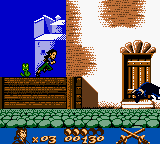
The game loads when you press Play · press “Play Now” inside the game if it asks.
Gold and Glory - The Road to El Dorado (Europe) (En,Fr,De,Es,It,Nl)
Gold and Glory - The Road to El Dorado
Getting to Know Gold and Glory - The Road to El Dorado
- Game Boy Color
- Adventure
- 5· 0 votes
GAME INFO
- Platform
- Game Boy Color
- Genre
- Adventure
- Released
- 2000
- Players
- 1
- Region
- Europe
How to play Gold and Glory - The Road to El Dorado online
CONTROLS
Controls
- Arrow Keys: D-Pad / Movement
- X: A button (jump / confirm)
- S: B button (run / attack / cancel)
- Enter: Start / Pause
- V: Select
Gold and Glory - The Road to El Dorado FAQ
Roughly how long does it take to finish Gold and Glory - The Road to El Dorado?
Most players complete it in 2 to 3 hours. The game is short, with seven chapters and minimal backtracking. It's a weekend rental length, perfect for a single sitting.
Is there anything iconic or memorable about Gold and Glory - The Road to El Dorado?
The involvement of Revolution Software, creators of the Broken Sword series, gives it unexpected depth for a movie tie-in. The sprite art is colorful and captures the film's visual style well, and the puzzles are clever without being frustrating.
Who developed Gold and Glory - The Road to El Dorado?
Revolution Software developed this Game Boy Color adaptation. They are best known for the Broken Sword point-and-click adventure series, and this game shares a similar design philosophy despite being a 2D platformer.
You may also like
All Game Boy Color games











GAME INFO
- Platform
- Game Boy Color
- Genre
- Adventure
- Released
- 2000
- Players
- 1
- Region
- Europe
COMMENTS (0)
No comments yet. Be the first to share your thoughts.