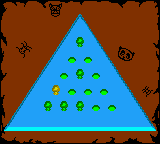
The game loads when you press Play · press “Play Now” inside the game if it asks.
Games Frenzy (Europe) (En,Fr,De)
Games Frenzy
About Games Frenzy
- Game Boy Color
- Arcade
- 5· 0 votes
Games Frenzy (Europe) (En,Fr,De) is a Game Boy Color compilation that bundles several classic arcade-style mini-games under one cartridge. Released exclusively in European territories, it offers English, French, and German language options from the start. The exact publisher and developer are not widely documented, but the game follows the tradition of multi-game collections that were popular on portable systems around the turn of the millennium.
Players cycle through a menu to pick from a set of simple, fast-paced challenges. Each mini-game has its own objective, usually a single-screen score attack like catching falling objects, dodging obstacles, or matching patterns. The controls are kept basic, using the D-pad and A/B buttons, and the action restarts quickly after each round. There is no persistent story or character progression - just pick a game and try to beat your high score.
As a budget compilation, Games Frenzy fills a niche for quick pick-up-and-play sessions on the go. It does not offer the depth of a single focused title, but its variety provides decent replay value for short bursts. If you enjoy collections like Gobs of Games (likely the same title under a different name) or the Game & Watch Gallery series, this one is worth a look for the novelty and the language options.
GAME INFO
- Platform
- Game Boy Color
- Genre
- Arcade
- Region
- Europe
How to play Games Frenzy online
Start the game by pressing Enter (Start) on the title screen. A menu of mini-games will appear - use the Arrow Keys to scroll and press X (A button) to confirm your choice. Each mini-game has its own brief instructions on screen, usually in the selected language. The core loop is simple: pick a game, play a short round, then return to the menu to try another or repeat the same one. There is no battery backup, so high scores reset when you turn off the console. Just enjoy each session as a standalone burst of arcade fun.
CONTROLS
Controls
- Arrow Keys: D-Pad / Movement
- X: A button (jump / confirm)
- S: B button (run / attack / cancel)
- Enter: Start / Pause
- V: Select
Games Frenzy FAQ
Who developed Games Frenzy?
The developer of Games Frenzy is not widely documented. It may have been produced by a smaller studio or published under a budget label.
What type of game is Games Frenzy?
It is a compilation of arcade-style mini-games for the Game Boy Color, designed for quick, repeatable play sessions.
Can players save progress in Games Frenzy?
The game does not include battery-backed saving. High scores and progress reset when the console is turned off.
You may also like
All Game Boy Color games











GAME INFO
- Platform
- Game Boy Color
- Genre
- Arcade
- Region
- Europe
COMMENTS (0)
No comments yet. Be the first to share your thoughts.