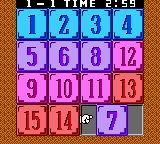
The game loads when you press Play · press “Play Now” inside the game if it asks.
Game Conveni 21 (Japan)
Game Conveni 21
Game Conveni 21 Overview
- Game Boy Color
- Simulation
- 5· 0 votes
GAME INFO
- Platform
- Game Boy Color
- Genre
- Simulation
- Released
- 2000
- Players
- 1
- Region
- Japan
How to play Game Conveni 21 online
Getting Started
Since Game Conveni 21 never left Japan, all menus and on-screen text are in Japanese. The first thing you'll want to do is explore the main screen - you typically start with a small store layout and a set of options for ordering products, adjusting prices, and checking your finances. Use the D-Pad to highlight icons, and confirm with the A button (X key on keyboard).
The core loop revolves around stocking shelves with popular items, serving customers, and managing your cash flow. You'll need to monitor restock levels and keep an eye on what sells best. Profits let you upgrade your store or hire part-time staff, but the interface is entirely text heavy. If you don't read Japanese, you may need to trial-and-error your way through the menus or look up a guide online.
One important tip: look for a red circle icon that usually represents restocking, and a green arrow for advancing time. Experimenting is part of the fun. The game does not have a hard fail state - you can keep playing as long as you want, but running out of money will force you to close the store temporarily.
CONTROLS
Controls
- Arrow Keys: D-Pad / Movement
- X: A button (jump / confirm)
- S: B button (run / attack / cancel)
- Enter: Start / Pause
- V: Select
Game Conveni 21 FAQ
Does Game Conveni 21 have a multiplayer or co-op mode?
No multiplayer or co-op mode exists in this game. It is strictly a single-player simulation experience focused on managing your own convenience store.
Is there anything iconic or memorable about Game Conveni 21?
It is one of the few retail management sims on the Game Boy Color, offering a detailed day-to-day operation loop that few other handheld games attempted. The repetitive restocking and customer interactions give it a unique, almost hypnotic rhythm that fans of the genre appreciate.
What type of game is Game Conveni 21?
A business simulation game where you run a convenience store. You order stock, serve customers, track sales data, and upgrade your shop. It belongs to the same niche as other Japanese simulation titles like the "Game Conveni" series and "Retro Game Challenge" side modes.
You may also like
All Game Boy Color games











GAME INFO
- Platform
- Game Boy Color
- Genre
- Simulation
- Released
- 2000
- Players
- 1
- Region
- Japan
COMMENTS (0)
No comments yet. Be the first to share your thoughts.