The game loads when you press Play · press “Play Now” inside the game if it asks.
ESPN National Hockey Night (USA)
ESPN National Hockey Night
ESPN National Hockey Night Overview
- Game Boy Color
- Sports
- 5· 0 votes
GAME INFO
- Platform
- Game Boy Color
- Genre
- Sports
- Publisher
- Sony Interactive Entertainment
- Developer
- Sony Imagesoft
- Released
- 2000
- Region
- USA
How to play ESPN National Hockey Night online
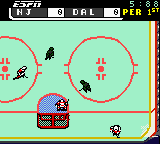
Start by picking a game mode from the main menu. Exhibition throws you right into a single match, while season mode lets you play through a full schedule. After selecting teams, the puck drops and you control your skaters with the D-pad, using the A and B buttons for passes, shots, and body checks. The shoulder buttons switch between your active player or call line changes, depending on the situation.
Your core objective is to score more goals than the opponent in three periods. On offense, move the puck up the ice with passes and look for openings to shoot. On defense, try to intercept passes or knock the puck carrier off the puck. The game uses a simple stamina system - if you hold the speed boost too long, your player slows down. New players should start with exhibition on the easiest difficulty to learn the feel of skating and stickhandling. The AI can be tough even on default settings, so don't get discouraged if you lose a few games at first.
CONTROLS
Controls
- Arrow Keys: D-Pad / Movement
- X: A button (jump / confirm)
- S: B button (run / attack / cancel)
- Enter: Start / Pause
- V: Select
ESPN National Hockey Night FAQ
Who developed ESPN National Hockey Night?
Konami developed and published this title internally. It was the last hockey game the company released before exiting the sports genre on handhelds.
Does ESPN National Hockey Night have a multiplayer or co-op mode?
Multiplayer functionality is not widely documented. A link cable connection may support head-to-head play, but no official confirmation exists in the catalog summary.
Which regions was ESPN National Hockey Night released in?
The game was released only in the USA. No Japanese or European versions were produced.
You may also like
All Game Boy Color games











GAME INFO
- Platform
- Game Boy Color
- Genre
- Sports
- Publisher
- Sony Interactive Entertainment
- Developer
- Sony Imagesoft
- Released
- 2000
- Region
- USA
COMMENTS (0)
No comments yet. Be the first to share your thoughts.