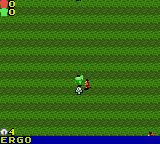
The game loads when you press Play · press “Play Now” inside the game if it asks.
David Beckham Soccer (Europe) (En,Fr,De,Es,It)
David Beckham Soccer
Inside David Beckham Soccer
- Game Boy Color
- Sports
- 5· 0 votes
GAME INFO
- Platform
- Game Boy Color
- Genre
- Sports
- Released
- 2002
- Players
- 1-2
- Region
- Europe
How to play David Beckham Soccer online
Getting Started
When you boot the game, you'll see a title screen with David Beckham's face. Press Start to enter the main menu where you can choose between Exhibition Match, Tournament, and Options. The language selection is set automatically based on your console region, but you can also change it from the menu if needed.
For your first match, pick Exhibition Mode. You can select any of the available national teams or clubs. The controls are simple: use the D-pad to move your player, press X to pass or tackle, and S to shoot. The A button (Z on keyboard) triggers a lobbed pass or a more powerful clear, and the B button (X on keyboard) is used for sprinting. The game plays in two halves of a few minutes each, so matches are quick.
There are no tutorials or practice modes, so jump in and learn by playing. The AI is fairly basic - opponents tend to chase the ball directly. Try to string together short passes to create space for a shot. If you have a friend and a link cable, the two-player mode is the most fun because the simple mechanics become more engaging head-to-head.
CONTROLS
Controls
- Arrow Keys: D-Pad / Movement
- X: A button (jump / confirm)
- S: B button (run / attack / cancel)
- Enter: Start / Pause
- V: Select
David Beckham Soccer FAQ
Who developed David Beckham Soccer?
The Game Boy Color version was developed internally by Rage Software, the same studio responsible for the game's console counterparts. Rage was a British developer known for a variety of sports titles during the early 2000s.
Is David Beckham Soccer exclusive to Game Boy Color or did it appear on other systems?
It was released on multiple platforms including the PlayStation, Nintendo 64, Game Boy Advance, and Game Boy Color. The GBC version is the most limited in terms of graphical fidelity and gameplay depth, but it captures the same basic soccer experience.
Roughly how long does it take to finish David Beckham Soccer?
There is no story mode, so finishing the game depends on your goals. A single match takes about 3-5 minutes. Completing the tournament mode against CPU opponents can be done in roughly 20-30 minutes. There is no long-term progression or campaign.
You may also like
All Game Boy Color games











GAME INFO
- Platform
- Game Boy Color
- Genre
- Sports
- Released
- 2002
- Players
- 1-2
- Region
- Europe
COMMENTS (0)
No comments yet. Be the first to share your thoughts.