The game loads when you press Play · press “Play Now” inside the game if it asks.
Dancing Furby (Japan)
Dancing Furby
Dancing Furby on GBC
- Game Boy Color
- Music
- 5· 0 votes
GAME INFO
- Platform
- Game Boy Color
- Genre
- Music
- Players
- 1
- Region
- Japan
How to play Dancing Furby online
Getting Started
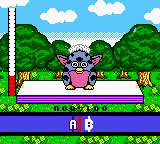
When you boot up Dancing Furby, the title screen will appear entirely in Japanese. Press Start (Enter) to proceed to the main menu. From there, you'll likely see options for starting a game or adjusting settings. Select the topmost option to begin a song or performance mode. The core loop is simple: watch for on-screen cues (usually symbols or arrows) and press the corresponding button in sync with the music. Timing is everything - hitting notes early or late will break your combo and lower your score.
Since the game is in Japanese, you may need to experiment a bit to learn which menu items do what. The gameplay itself is intuitive enough that language barriers won't stop you from enjoying the rhythm challenges. Focus on matching the prompts and keeping a steady beat. There's no story to follow, so you can jump into any song or stage directly.
If you get lost, try pressing Start to pause and use the D-Pad to navigate back to the main menu. The game saves your progress automatically if you complete a song, but be aware that save data may not persist in all emulator sessions. For the best experience, play with headphones to hear the beats clearly.
CONTROLS
Controls
- Arrow Keys: D-Pad / Movement
- X: A button (jump / confirm)
- S: B button (run / attack / cancel)
- Enter: Start / Pause
- V: Select
Dancing Furby FAQ
Who developed Dancing Furby?
The developer of Dancing Furby is not widely documented in common retro gaming databases. It was likely contracted out to an unknown studio focusing on toy-based licensed handheld games, but specific credit remains elusive.
Is Dancing Furby considered easy to pick up or challenging?
Dancing Furby leans toward the easier side of rhythm games, especially for players familiar with the genre. The track patterns are forgiving, and the game does not punish missed notes harshly, making it accessible for newcomers.
Is Dancing Furby exclusive to Game Boy Color or did it appear on other systems?
Dancing Furby was released only for the Game Boy Color and did not appear on other consoles or platforms. It remains a Japan-exclusive title with no official localizations or ports.
You may also like
All Game Boy Color games











GAME INFO
- Platform
- Game Boy Color
- Genre
- Music
- Players
- 1
- Region
- Japan
COMMENTS (0)
No comments yet. Be the first to share your thoughts.