CHOOSE A VERSION
2 versions · same consoleChoose an original release, regional version, revision, bootleg or clearly labelled ROM hack/mod, then press Play. Hacks may change the gameplay. Switching versions restarts the player.
Selected: Default · USA · USA
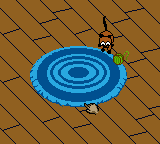
The game loads when you press Play · press “Play Now” inside the game if it asks.
Catz - Your Virtual Petz Palz (USA)
Catz - Your Virtual Petz Palz
Catz - Your Virtual Petz Palz Overview
- Game Boy Color
- Simulation
- 5· 0 votes
GAME INFO
- Platform
- Game Boy Color
- Genre
- Simulation
- Players
- 1
- Region
- USA
How to play Catz - Your Virtual Petz Palz online
CONTROLS
Controls
- Arrow Keys: D-Pad / Movement
- X: A button (jump / confirm)
- S: B button (run / attack / cancel)
- Enter: Start / Pause
- V: Select
Catz - Your Virtual Petz Palz FAQ
Who developed Catz - Your Virtual Petz Palz?
The developer of this Game Boy Color port is not widely documented. The original Petz franchise was created by PF.Magic for PC, but the handheld version may have been handled by a different studio. Reliable sources do not clearly state who coded this specific cartridge.
Is Catz - Your Virtual Petz Palz exclusive to Game Boy Color or did it appear on other systems?
This title was released only for the Game Boy Color in North America. The Petz series appeared on other platforms like PC and Game Boy Advance, but this particular version with the "Virtual Petz Palz" subtitle is unique to the Game Boy Color.
Roughly how long does it take to finish Catz - Your Virtual Petz Palz?
There is no set ending or credits sequence. It is an open-ended virtual pet simulation that can be played indefinitely as long as you continue caring for your cat. Most players engage with it in short daily sessions over weeks or months, but the game itself never truly concludes.
You may also like
All Game Boy Color games











GAME INFO
- Platform
- Game Boy Color
- Genre
- Simulation
- Players
- 1
- Region
- USA
COMMENTS (0)
No comments yet. Be the first to share your thoughts.