CHOOSE A VERSION
2 versions · same consoleChoose an original release, regional version, revision, bootleg or clearly labelled ROM hack/mod, then press Play. Hacks may change the gameplay. Switching versions restarts the player.
Selected: Default · USA · USA
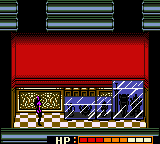
The game loads when you press Play · press “Play Now” inside the game if it asks.
Catwoman (USA)
Catwoman
Inside Catwoman
- Game Boy Color
- Action
- 5· 0 votes
Players control Catwoman as she moves through side-scrolling levels, jumping between platforms and using her whip to strike enemies. The core gameplay involves navigating each stage, avoiding environmental hazards, and defeating foes that block the path. Collectibles like gems or health items are scattered throughout the levels, and the game relies on a simple lives-and-continue system common to Game Boy Color action games.
Catwoman serves as a straightforward example of a late-90s licensed handheld game. Its sprite work captures the character's look, and the controls are responsive enough for casual play. While it doesn't introduce novel mechanics or a deep story, it fills a specific niche for fans of the character or those exploring the Game Boy Color's library of superhero titles.
GAME INFO
- Platform
- Game Boy Color
- Genre
- Action
- Publisher
- Electronic Arts
- Developer
- Magic Pockets
- Released
- 1999
- Players
- 1
- Region
- USA
How to play Catwoman online
CONTROLS
Controls
- Arrow Keys: D-Pad / Movement
- X: A button (jump / confirm)
- S: B button (run / attack / cancel)
- Enter: Start / Pause
- V: Select
Catwoman FAQ
Can players save progress in Catwoman?
Saving is not a feature in Catwoman for Game Boy Color. Like many action games of its time, progress is tracked through a password system or requires finishing a level in one go. Check the options screen for any password prompts after clearing stages.
What makes Catwoman stand out among Game Boy Color titles of its era?
As a licensed superhero game, Catwoman benefits from recognizable character design and sprite work that fits the handheld's hardware. It offers a straightforward action platforming experience without the complexity of later titles, making it a neat example of late-90s tie-in games.
In what year was Catwoman originally released?
The game was originally released in 1999 for the Game Boy Color. No later revisions or special editions have been documented.
You may also like
All Game Boy Color games











GAME INFO
- Platform
- Game Boy Color
- Genre
- Action
- Publisher
- Electronic Arts
- Developer
- Magic Pockets
- Released
- 1999
- Players
- 1
- Region
- USA
COMMENTS (0)
No comments yet. Be the first to share your thoughts.