The game loads when you press Play · press “Play Now” inside the game if it asks.
Asterix - Search for Dogmatix (Europe) (En,Fr,De,Es,It,Nl)
Asterix - Search for Dogmatix
Asterix - Search for Dogmatix - Platformer Classic
- Game Boy Color
- Platformer
- 5· 0 votes
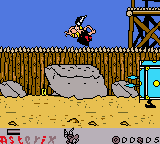
Asterix - Search for Dogmatix is a platformer for the Game Boy Color that landed in European markets during the handheld's active years. As a licensed tie-in, it stars the iconic Gaulish warrior Asterix, who sets out to locate his missing dog Dogmatix. The exact release year and developer are not widely documented, though it fits the mold of the many comic-based games that appeared on Nintendo's portable system around the turn of the millennium.
GAME INFO
- Platform
- Game Boy Color
- Genre
- Platformer
- Players
- 1
- Region
- Europe
How to play Asterix - Search for Dogmatix online
Getting started: When you launch the game, you will see a title screen. Press Enter to open the main menu, where you can choose your language (English, French, German, Spanish, Italian, or Dutch) using the D-Pad and confirm with X. Once a language is selected, you will start the first level. Use the Arrow Keys to move Asterix left and right, and press X to jump over obstacles and pits. Press S to attack enemies with your fist or a weapon.
The core loop involves running through side-scrolling stages filled with platforms, enemies, and collectible items like bones or coins. Your goal is to find Dogmatix at the end of each level, though you may need to explore some paths to locate him. Keep an eye on your health meter and collect food or potions to restore it. The game saves progress automatically after completing a level, so you can continue your quest later.
CONTROLS
Controls
- Arrow Keys: D-Pad / Movement
- X: A button (jump / confirm)
- S: B button (run / attack / cancel)
- Enter: Start / Pause
- V: Select
Asterix - Search for Dogmatix FAQ
Is Asterix - Search for Dogmatix exclusive to Game Boy Color or did it appear on other systems?
Asterix - Search for Dogmatix was released only for the Game Boy Color. No other console or handheld versions are known to exist.
Roughly how long does it take to finish Asterix - Search for Dogmatix?
A typical playthrough takes around two to three hours, depending on your familiarity with platformers and whether you explore every level thoroughly.
Who developed Asterix - Search for Dogmatix?
The developer is not widely documented in public sources. It was published by Infogrames, but the specific studio that handled the programming and art remains uncredited in most archives.
You may also like
All Game Boy Color games











GAME INFO
- Platform
- Game Boy Color
- Genre
- Platformer
- Players
- 1
- Region
- Europe
COMMENTS (0)
No comments yet. Be the first to share your thoughts.