🔊 Tap Play, then press “Play Now”

Aladdin (Europe) (En,Fr,De,Es,It,Nl)

0 Favorites 0 Likes 30 Views
Rate this game:
Embed Code
Aladdin (Europe) (En,Fr,De,Es,It,Nl)
Game Boy Color Platformer Pub Capcom Dev Capcom 2000 Europe 1 Player 5 (0) 30

Aladdin (Europe) (En,Fr,De,Es,It,Nl)

Aladdin (Europe) (En,Fr,De,Es,It,Nl): GBC Platformer

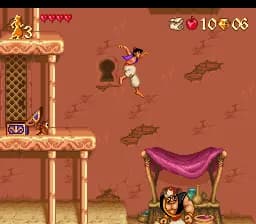
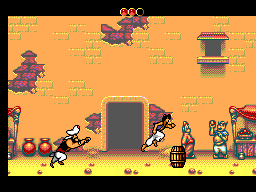
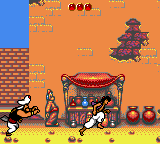
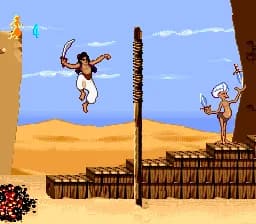
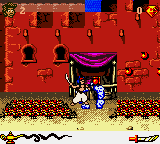
This is Disney's Aladdin for the Game Boy Color, a side-scrolling platformer released in Europe with support for English, French, German, Spanish, Italian, and Dutch. It's one of several games based on the classic 1992 film, and this particular version was published by Ubisoft in 2000. The game follows the familiar story of Aladdin as he tries to win the heart of Princess Jasmine and defeat the evil Jafar, using his acrobatic moves and a few tricks.

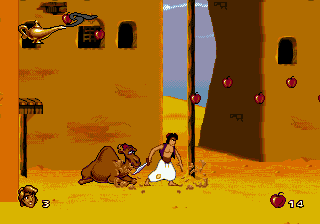
You control Aladdin across levels that mirror scenes from the movie, from the streets of Agrabah to the Cave of Wonders. The core gameplay involves running and jumping, collecting gems and apples, and defeating enemies by either jumping on them or throwing apples. There are also sections where you ride a magic carpet, which changes the perspective to an overhead view as you dodge obstacles and collect items. Each level ends with a boss fight, often against characters like Jafar or his guards.

For a Game Boy Color platformer, Aladdin holds up reasonably well. It captures the look and feel of the film with colorful spritework and music that nods to the movie's soundtrack. It's not groundbreaking, but it's a competent and enjoyable title for fans of the movie or retro platformers. If you've played the SNES or Genesis versions, this GBC entry is a different game entirely, worth checking out for its own take on the story.

How to Play Aladdin (Europe) (En,Fr,De,Es,It,Nl) Online

Start the game by pressing Enter to get past the title screen. You'll begin in Agrabah's marketplace. Use the Arrow Keys to move Aladdin left and right, and press X to jump over pits and onto platforms. Press S to throw apples at enemies - you can collect more apples from jars scattered around. Your goal is to reach the end of each stage while avoiding hazards like spikes and guards. When you see a big door or a glowing spot, that's the exit. Between stages you'll see short story scenes that advance the plot. There are also special items like extra lives and health pickups, so explore every part of the level. The game saves your progress automatically after each completed world, so you can jump back in later.

Aladdin (Europe) (En,Fr,De,Es,It,Nl) Keyboard Controls

Controls

  • Arrow Keys: D-Pad / Movement
  • X: A button (jump / confirm)
  • S: B button (run / attack / cancel)
  • Enter: Start / Pause
  • V: Select

Frequently Asked Questions

Roughly how long does it take to finish Aladdin?
A typical playthrough takes about two to three hours, depending on your familiarity with platformers and how many lives you lose. There are no complicated side quests, just straightforward level progression.
Is Aladdin exclusive to Game Boy Color or did it appear on other systems?
This specific version was released only for the Game Boy Color. However, other Aladdin games exist on the NES, SNES, Sega Genesis, and Game Boy Advance, each with different graphics and gameplay.
In what year was Aladdin originally released?
The Game Boy Color version came out in 2000. It was one of several Disney movie tie-ins that Ubisoft published for the handheld.

Comments (0)

    More Platformer Games