🔊 Tap Play, then press “Play Now”

X-Men 2 - Clone Wars (USA, Europe)

0 Favorites 0 Likes 10 Views
Rate this game:
Embed Code
X-Men 2 - Clone Wars (USA, Europe)
SEGA Genesis Action 1995 USA, Europe 5 (0) 10

X-Men 2 - Clone Wars (USA, Europe)

Inside X-Men 2 - Clone Wars (USA, Europe)

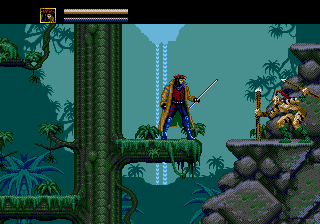
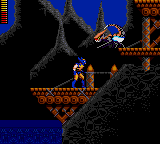
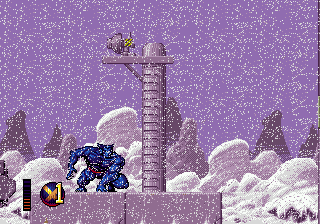
X-Men 2: Clone Wars hit the SEGA Genesis in 1995, a direct sequel to the first X-Men game on the system. It's a side-scrolling action-adventure title that drops you right into the ongoing fight between the X-Men and their enemies. Published by Sega, this cartridge found its way to both North American and European shelves during the 16-bit era.

You control one of four X-Men - Wolverine, Cyclops, Gambit, or Psylocke - each with unique abilities and special attacks. The game is split into several levels where you run, jump, and fight through enemy-filled stages. Your ultimate goal is to stop Magneto's plan to clone mutants, but the path is filled with Sentinels, evil clones, and classic villains. The core loop involves platforming, combat, and occasional puzzle-like sections, all while managing your health and special energy.

This sequel is remembered for its tight controls, multiple playable characters, and faithful adaptation of the X-Men comics. It's a challenging but fair action game that holds up well if you enjoy 16-bit side-scrollers. While it's not as famous as later X-Men titles, it remains a solid pick for Genesis owners looking for comic book action without the marketing noise.

How to Play X-Men 2 - Clone Wars (USA, Europe) Online

To start playing, pick one of the four X-Men on the character select screen. The game begins with a short cutscene, then you're thrown into a stage. Your basic attack is mapped to the B button (S key), and you can jump with A (X key). Each character has a unique projectile or melee style, so try them out. Watch your health bar and collect health pickups from defeated enemies or crates. The game is tough - enemies hit hard and come in waves. Use your special attack (Y button, Z key) sparingly, as it drains energy. You can also switch between characters if you have more than one player? Actually this game is single-player only. If you get stuck on a section, try a different X-Man - some have advantages against certain foes. Explore each level for hidden power-ups and alternate paths. The game saves progress with a level select after you beat a stage, so you don't have to start from scratch every time.

X-Men 2 - Clone Wars (USA, Europe) Keyboard Controls

Controls

  • Arrow Keys: D-Pad / Movement
  • X: A button
  • S: B button
  • Z: C button
  • A: X button (6-button pad)
  • Q: Y button (6-button pad)
  • E: Z button (6-button pad)
  • Enter: Start / Mode

Frequently Asked Questions

Is X-Men 2 - Clone Wars considered easy to pick up or challenging?
The game is on the harder side, especially later stages. Enemies are aggressive and hits can deplete health quickly, so you'll need to learn enemy patterns and use each character's strengths. It does offer unlimited continues, which keeps frustration in check.
What makes X-Men 2 - Clone Wars stand out among SEGA Genesis titles of its era?
It stands out because it allows you to switch between four distinct X-Men on the fly, each with unique moves. The graphics and music are top-notch for the Genesis, and the level design keeps things varied with platforming, combat, and a few driving segments.
Is X-Men 2 - Clone Wars exclusive to SEGA Genesis or did it appear on other systems?
It was released exclusively for the SEGA Genesis. No ports to other consoles or computers exist, making it a platform-exclusive experience for 16-bit Sega owners.

Comments (0)

    More Action Games