CHOOSE A VERSION
2 versions · same consoleChoose an original release, regional version, revision, bootleg or clearly labelled ROM hack/mod, then press Play. Hacks may change the gameplay. Switching versions restarts the player.
Selected: Default · World · Japan, USA, Europe
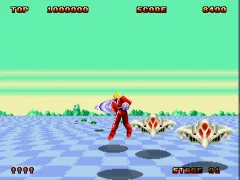
The game loads when you press Play · press “Play Now” inside the game if it asks.
Space Harrier II (World)
Space Harrier II
Space Harrier II Overview
- SEGA Genesis
- Shooter
- 5· 0 votes
GAME INFO
- Platform
- SEGA Genesis
- Genre
- Shooter
- Developer
- Sega AM2
- Released
- 1988
- Players
- 1
- Region
- Japan, USA, Europe
More Space Harrier Games
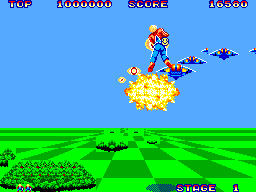
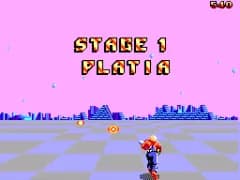
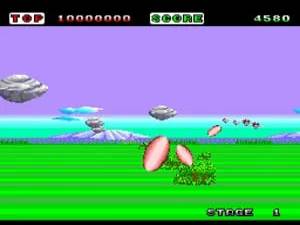
Ready for another round? Explore more Space Harrier games and console editions. Choose a game below to play it on its own page.
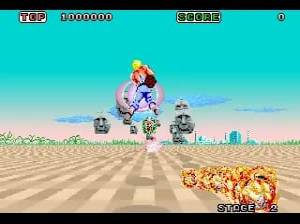
How to play Space Harrier II online
CONTROLS
Controls
- Arrow Keys: D-Pad / Movement
- X: A button
- S: B button
- Z: C button
- A: X button (6-button pad)
- Q: Y button (6-button pad)
- E: Z button (6-button pad)
- Enter: Start / Mode
Space Harrier II FAQ
Which regions was Space Harrier II released in?
Space Harrier II saw release in Japan, North America, and Europe for the Sega Genesis. The arcade original debuted worldwide in 1988.
Is there anything iconic or memorable about Space Harrier II?
The game is known for its pseudo-3D graphics and breakneck speed, which set it apart from typical side-scrollers of the era. Its surreal enemy designs and the signature running character have become hallmarks of the franchise.
Is Space Harrier II exclusive to SEGA Genesis or did it appear on other systems?
The arcade version of Space Harrier II came first in 1988. The Sega Genesis got the primary home port, and no other major consoles received it at the time.
You may also like
All SEGA Genesis games











GAME INFO
- Platform
- SEGA Genesis
- Genre
- Shooter
- Developer
- Sega AM2
- Released
- 1988
- Players
- 1
- Region
- Japan, USA, Europe
COMMENTS (0)
No comments yet. Be the first to share your thoughts.