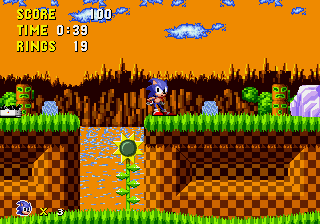
The game loads when you press Play · press “Play Now” inside the game if it asks.
Sonic 100 - Sunset Hill Demo
Sonic 100 - Sunset Hill Demo
Sonic 100 - Sunset Hill Demo on Genesis
- SEGA Genesis
- Platformer
- Demo
- 5· 0 votes
GAME INFO
- Platform
- SEGA Genesis
- Genre
- Platformer
- Players
- 1
More Sonic Games
Ready for another round? Explore more Sonic games and console editions. Choose a game below to play it on its own page.
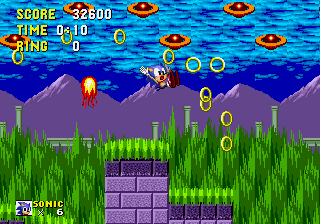
How to play Sonic 100 - Sunset Hill Demo online
Getting started: Fire up the demo and you'll see a title screen, probably with the Sonic 100 logo. Press Start to begin. You control Sonic in the Sunset Hill zone. The core loop is classic Sonic: run to the right, collect rings, defeat badniks, and reach the goal. The level design may include loops, ramps, and springs. Since it's a demo, there's likely only one act or a short course.
Keep an eye on the timer and your ring count. Touching an enemy while carrying rings scatters them, but if you have zero rings and get hit, it's game over. You can't save progress in a demo, so it's a quick play session. The controls are responsive and match the original Sonic games, so if you've played Sonic 1 or 2, you'll feel right at home.
CONTROLS
Controls
- Arrow Keys: D-Pad / Movement
- X: A button
- S: B button
- Z: C button
- A: X button (6-button pad)
- Q: Y button (6-button pad)
- E: Z button (6-button pad)
- Enter: Start / Mode
Sonic 100 - Sunset Hill Demo FAQ
What makes Sonic 100 - Sunset Hill Demo stand out among SEGA Genesis titles of its era?
As a fan-made demo, it represents the creativity of the modding community. The custom level and potential gameplay tweaks set it apart from official Sonic releases. It's a glimpse into what hobbyists achieved on hardware.
Is there anything iconic or memorable about Sonic 100 - Sunset Hill Demo?
The name 'Sunset Hill' evokes a calm, scenic zone, which is a recurring theme in many Sonic hacks. The demo itself is a collectible curiosity for fans who enjoy exploring unofficial content.
Can players save progress in Sonic 100 - Sunset Hill Demo?
No, demos of this nature typically lack save functionality. It's a short experience designed to be completed in one sitting, so just enjoy the run.
You may also like
All SEGA Genesis games











GAME INFO
- Platform
- SEGA Genesis
- Genre
- Platformer
- Players
- 1
COMMENTS (0)
No comments yet. Be the first to share your thoughts.