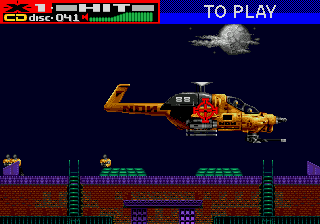
The game loads when you press Play · press “Play Now” inside the game if it asks.
Revolution X (USA, Europe)
Revolution X
Revolution X - Shooter Classic
- SEGA Genesis
- Shooter
- 5· 0 votes
GAME INFO
- Platform
- SEGA Genesis
- Genre
- Shooter
- Publisher
- Midway Games
- Developer
- Midway Games
- Released
- 1994
- Region
- USA, Europe
More Revolution Games
Ready for another round? Explore more Revolution games and console editions. Choose a game below to play it on its own page.
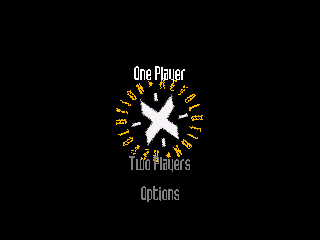
How to play Revolution X online
Getting Started
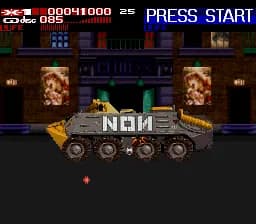
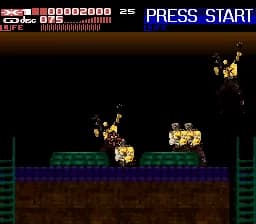
Upon starting Revolution X, you are immediately thrown into a chaotic mission to rescue Aerosmith from a government-controlled arena. The game moves forward automatically, with enemies and obstacles appearing from all directions. Your goal is to shoot down helicopters, soldiers, and other threats while protecting your bandmates and propelling the story forward.
The core loop revolves around aiming and firing your assault rifle using the D-pad and S key. When you see a red crosshair on an enemy, that's your cue to shoot. Explosive CDs can be thrown with the Z key to clear large groups or deal heavy damage to bosses. Keep an eye on your health bar and collect power-ups or health restoratives that appear. The game progresses through multiple stages, each ending with a boss fight. There is no continuing save system - you must complete the game in one sitting or use the level select cheat if available.
For new players, the key is to constantly scan the screen and prioritize threats. The crosshair moves slowly, so pre-aiming at expected enemy positions helps. Do not waste CDs - save them for clusters or tough enemies. The game is challenging, but persistence pays off. If you get stuck, try memorizing enemy patterns and adjusting your aim speed.
CONTROLS
Controls
- Arrow Keys: D-Pad / Movement
- X: A button
- S: B button
- Z: C button
- A: X button (6-button pad)
- Q: Y button (6-button pad)
- E: Z button (6-button pad)
- Enter: Start / Mode
Revolution X FAQ
Is Revolution X an official release, a fan hack, a prototype, or another kind of build?
Revolution X is an official commercial release, ported from the arcade game by Midway for home consoles including the SEGA Genesis. It was sold in stores as a licensed product.
In what year was Revolution X originally released?
The arcade version debuted in 1994, and the Genesis port followed in 1995 in both North America and Europe.
Does Revolution X have a multiplayer or co-op mode?
No, the Genesis version is strictly single-player. There is no co-op or multiplayer option.
You may also like
All SEGA Genesis games











GAME INFO
- Platform
- SEGA Genesis
- Genre
- Shooter
- Publisher
- Midway Games
- Developer
- Midway Games
- Released
- 1994
- Region
- USA, Europe
COMMENTS (0)
No comments yet. Be the first to share your thoughts.