CHOOSE A VERSION
2 versions · same consoleChoose an original release, regional version, revision, bootleg or clearly labelled ROM hack/mod, then press Play. Hacks may change the gameplay. Switching versions restarts the player.
Selected: Default · Japan · Japan
The game loads when you press Play · press “Play Now” inside the game if it asks.
Madou Monogatari I (Japan)
Madou Monogatari I
Inside Madou Monogatari I
- SEGA Genesis
- RPG
- 5· 0 votes
GAME INFO
- Platform
- SEGA Genesis
- Genre
- RPG
- Players
- 1
- Region
- Japan
More Madou Monogatari Games
Ready for another round? Explore more Madou Monogatari games and console editions. Choose a game below to play it on its own page.

How to play Madou Monogatari I online
Getting Started
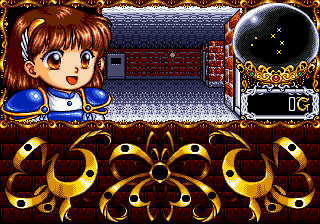
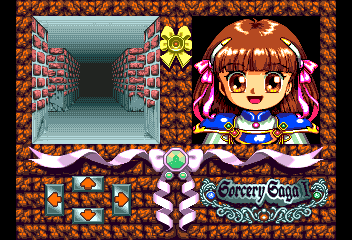
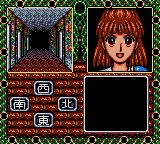
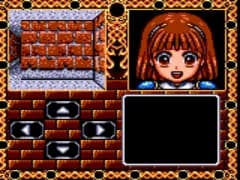
Madou Monogatari I is a first-person dungeon crawler where you guide Arle up a dangerous tower. The core loop involves exploring each floor, encountering random battles with various enemies, and solving simple environmental puzzles to progress upward. You will need to manage your health and magic points carefully - resting or using items between fights is often necessary.
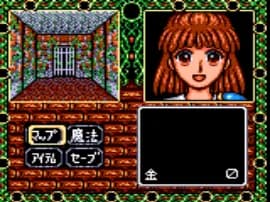
Since this is a Japanese-only title, all menus and dialogue are entirely in Japanese. If you do not read the language, you may need to experiment with options or rely on a translation guide. The interface is fairly standard for its genre: you select commands like Fight, Magic, Item, or Run from a text menu. Start with the confirmation button (X) to advance dialog and the cancel button (S) to go back.
Pay attention to visual cues in the environment - some walls hide secret passages or treasure. Save points are scattered through the tower, so use them whenever you find one. The game is linear but offers a modest challenge, especially if you neglect to stock up on healing items. Take your time exploring each floor to find better equipment and spells.
CONTROLS
Controls
- Arrow Keys: D-Pad / Movement
- X: A button
- S: B button
- Z: C button
- A: X button (6-button pad)
- Q: Y button (6-button pad)
- E: Z button (6-button pad)
- Enter: Start / Mode
Madou Monogatari I FAQ
Is there anything iconic or memorable about Madou Monogatari I?
It stands as the last officially licensed Mega Drive game released in Japan, which gives it a unique place in retro gaming history. Also, it features a 6-year-old Arle Nadja, offering a rare early look at a character who later became famous through the Puyo Puyo series.
Does Madou Monogatari I have a multiplayer or co-op mode?
No, the game is strictly a single-player adventure. There is no cooperative or versus mode included.
Roughly how long does it take to finish Madou Monogatari I?
Exact playtime is not widely documented, but it is a relatively short dungeon crawler. Most players likely complete it in a few hours, depending on how thorough they are with exploration and puzzle-solving.
You may also like
All SEGA Genesis games











GAME INFO
- Platform
- SEGA Genesis
- Genre
- RPG
- Players
- 1
- Region
- Japan
COMMENTS (0)
No comments yet. Be the first to share your thoughts.