CHOOSE A VERSION
2 versions · same consoleChoose an original release, regional version, revision, bootleg or clearly labelled ROM hack/mod, then press Play. Hacks may change the gameplay. Switching versions restarts the player.
Selected: Default · USA · USA
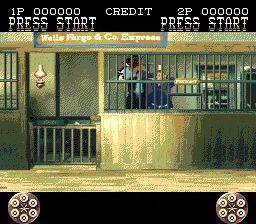
The game loads when you press Play · press “Play Now” inside the game if it asks.
Lethal Enforcers II - Gun Fighters (USA)
Lethal Enforcers II - Gun Fighters
Inside Lethal Enforcers II - Gun Fighters
- SEGA Genesis
- Shooter
- 5· 0 votes
GAME INFO
- Platform
- SEGA Genesis
- Genre
- Shooter
- Released
- 1994
- Players
- 1-2
- Region
- USA
More Lethal Enforcers Games
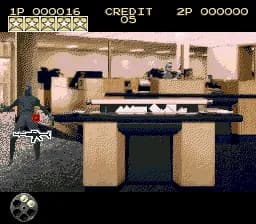
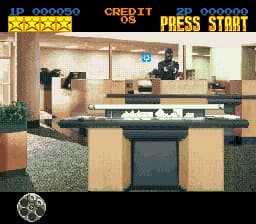
Ready for another round? Explore more Lethal Enforcers games and console editions. Choose a game below to play it on its own page.

How to play Lethal Enforcers II - Gun Fighters online
Getting Started
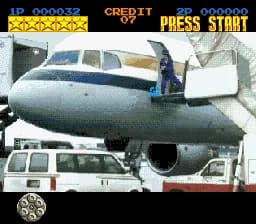
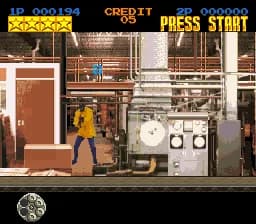
When you first start Lethal Enforcers II - Gun Fighters, you will see a title screen. Press Start to go to the option menu where you can choose between one or two players (two players requires two controllers or a compatible light gun setup). The game primarily uses the D-Pad to aim a crosshair on screen and the B button to fire. In the default control scheme, holding X reloads your weapon.
The core gameplay is simple: move the crosshair over enemies and shoot them before they shoot you. You must also avoid hitting innocent bystanders, which costs you health. Each stage throws waves of bandits, cowboys, and other wild west scum at you. After clearing a stage, a bonus round may appear where you shoot targets for extra points. The game ends when you run out of continues or your health drops to zero. There are no continues if you play on the hardest difficulty.
A key difference from the first game is the Wild West setting, which changes enemy behavior and background details. You can switch between using the Genesis controller as a mouse-like aiming device or a light gun peripheral. If using a standard pad, the aiming responsiveness takes some getting used to, especially with the sluggish crosshair movement. Practice on the easy difficulty to get comfortable.
CONTROLS
Controls
- Arrow Keys: D-Pad / Movement
- X: A button
- S: B button
- Z: C button
- A: X button (6-button pad)
- Q: Y button (6-button pad)
- E: Z button (6-button pad)
- Enter: Start / Mode
Lethal Enforcers II - Gun Fighters FAQ
Roughly how long does it take to finish Lethal Enforcers II - Gun Fighters?
A single playthrough on easy difficulty can be completed in about 20 to 30 minutes, but the game encourages replay for high scores and better accuracy. Higher difficulty levels extend the challenge significantly.
Is Lethal Enforcers II - Gun Fighters exclusive to SEGA Genesis or did it appear on other systems?
It also came out on the Super Nintendo Entertainment System (SNES) in the same year. Both versions share the same wild west premise and stages, though graphics and sound differ slightly.
What makes Lethal Enforcers II - Gun Fighters stand out among SEGA Genesis titles of its era?
The shift to a western theme sets it apart from the countless modern military shooters of the time. It also supports both the Menacer light gun and standard controller, giving flexibility to players without the peripheral.
You may also like
All SEGA Genesis games











GAME INFO
- Platform
- SEGA Genesis
- Genre
- Shooter
- Released
- 1994
- Players
- 1-2
- Region
- USA
COMMENTS (0)
No comments yet. Be the first to share your thoughts.