The game loads when you press Play · press “Play Now” inside the game if it asks.
Hercules 2 (Unl)
Hercules 2
Hercules 2 Overview
- SEGA Genesis
- Platformer
- Unlicensed
- 5· 0 votes
Controls
- Arrow Keys = D-Pad
- X = A button (jump/confirm)
- S = B button (run/attack/cancel)
- Z = Y button
- A = X button
- Q = L shoulder
- E = R shoulder
- Enter = Start
- V = Select
GAME INFO
- Platform
- SEGA Genesis
- Genre
- Platformer
More Hercules Games
Ready for another round? Explore more Hercules games and console editions. Choose a game below to play it on its own page.
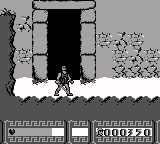
How to play Hercules 2 online
CONTROLS
Controls
- Arrow Keys: D-Pad / Movement
- X: A button
- S: B button
- Z: C button
- A: X button (6-button pad)
- Q: Y button (6-button pad)
- E: Z button (6-button pad)
- Enter: Start / Mode
Hercules 2 FAQ
Who developed Hercules 2?
The developer of Hercules 2 is not widely documented. Unlicensed Genesis games often lack credits, and no reliable source names a studio or individual behind this title.
Is Hercules 2 considered easy to pick up or challenging?
Hercules 2 falls on the challenging side, typical of many unlicensed games that lack balanced design. Expect tough enemy placement and occasional frustration until you memorize the stage layouts.
Is Hercules 2 an official release, a fan hack, a prototype, or another kind of build?
Hercules 2 is an unlicensed release. It was sold as a standalone cartridge without official Sega approval, placing it in the same category as other bootleg Genesis games from the 1990s.
You may also like
All SEGA Genesis games











GAME INFO
- Platform
- SEGA Genesis
- Genre
- Platformer
COMMENTS (0)
No comments yet. Be the first to share your thoughts.