CHOOSE A VERSION
3 versions · same consoleChoose an original release, regional version, revision, bootleg or clearly labelled ROM hack/mod, then press Play. Hacks may change the gameplay. Switching versions restarts the player.
Selected: Default · USA · USA
The game loads when you press Play · press “Play Now” inside the game if it asks.
F-15 Strike Eagle II (USA)
F-15 Strike Eagle II
F-15 Strike Eagle II Overview
- SEGA Genesis
- Simulation
- 5· 0 votes
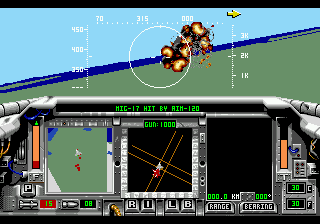
F-15 Strike Eagle II is a flight simulator that landed on the Sega Genesis in 1991, brought to us by MicroProse. This is the console port of the acclaimed PC sim, putting you in the cockpit of the iconic F-15 Eagle. It's a straightforward simulation title for the 16-bit era, focusing on realistic combat flying rather than arcade action.
You take on the role of an F-15 pilot tasked with a series of missions across different theaters. The core loop involves pre-flight planning, arming your aircraft with a mix of air-to-air and air-to-ground weapons, then taking off and engaging enemy targets. You'll rely on a heads-up display, radar, and navigation instruments to find and destroy both aerial and ground threats. Managing speed, altitude, and fuel is just as important as lining up shots. Mission success means returning to base safely.
For retro flight sim fans, F-15 Strike Eagle II delivers a more serious, systematic experience than most Genesis shooters. It's a good look at how PC sims were adapted for consoles, with simplified controls but still a fair amount of depth. If you're into Cold War-era jet combat and want something that'll make you sweat over fuel gauges and enemy radar pings, this is worth a few sorties. It's not for everyone, but it has its own charm in the Genesis library.
GAME INFO
- Platform
- SEGA Genesis
- Genre
- Simulation
- Publisher
- MicroProse
- Developer
- MicroProse
- Released
- 1991
- Players
- 1
- Region
- USA
More F-15 Strike Eagle Games
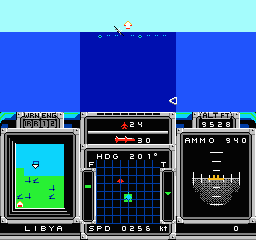
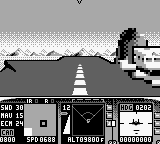
Ready for another round? Explore more F-15 Strike Eagle games and console editions. Choose a game below to play it on its own page.
How to play F-15 Strike Eagle II online
Getting Started
When you boot up F-15 Strike Eagle II, you'll first see a title screen and then a mission selection menu. Choose one of the available missions to start. You'll then get a briefing screen with target coordinates and suggested loadout. You can swap weapons using the shoulder buttons before confirming. Once airborne, use the D-Pad to control pitch, roll, and yaw. The A button fires your primary weapon, the B button cycles between weapon types. Keep an eye on your radar at the bottom of the screen to spot enemies; lock on by placing the crosshair over a target and pressing fire. Manage your throttle with the shoulder buttons (or assigned keys) to avoid stalling or overspeeding. Navigation is done by following waypoints on your compass - heading toward the next target marker. When you've completed objectives, head back to your airfield and line up with the runway for landing. Lower your landing gear by pressing Select and reduce speed. Touchdown gently and you'll get a debriefing. Start with the training mission to get a feel for handling.
CONTROLS
Controls
- Arrow Keys: D-Pad / Movement
- X: A button
- S: B button
- Z: C button
- A: X button (6-button pad)
- Q: Y button (6-button pad)
- E: Z button (6-button pad)
- Enter: Start / Mode
F-15 Strike Eagle II FAQ
Who developed F-15 Strike Eagle II?
MicroProse developed this flight simulator, known for their military simulation expertise.
Roughly how long does it take to finish F-15 Strike Eagle II?
Play time varies widely based on mission difficulty and skill. Each mission can take 15 to 30 minutes, and with multiple missions available, finishing the whole game might take a few hours.
Is F-15 Strike Eagle II exclusive to SEGA Genesis or did it appear on other systems?
It was not exclusive. The game also released on MS-DOS, Amiga, Atari ST, and other platforms, with the Genesis version being a console port.
You may also like
All SEGA Genesis games











GAME INFO
- Platform
- SEGA Genesis
- Genre
- Simulation
- Publisher
- MicroProse
- Developer
- MicroProse
- Released
- 1991
- Players
- 1
- Region
- USA
COMMENTS (0)
No comments yet. Be the first to share your thoughts.