The game loads when you press Play · press “Play Now” inside the game if it asks.
College Football USA 97 (USA)
College Football USA 97
College Football USA 97 - Sports Classic
- SEGA Genesis
- Sports
- 5· 0 votes
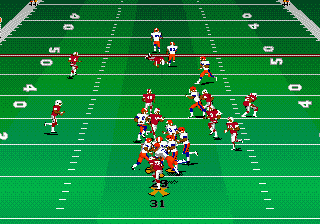
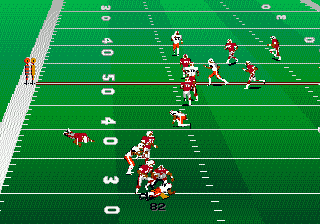
You take control of real Division I-A college teams (licensed through the NCAA and individual conferences) and play a full game of football. The core loop involves selecting offensive and defensive plays from a menu, then executing them on the field by controlling the quarterback, running back, or defender. There are multiple camera angles, a playbook with dozens of formations, and options for season play, single games, or practice. The game uses a standard button layout for passing, juking, and tackling.
For its time, College Football USA 97 offered a deeper simulation than arcade-style football games, with team-specific stats and accurate field dimensions. It's not as polished as later NCAA titles on PlayStation or N64, but it remains a solid pick for Genesis owners who want a realistic college football experience without the glitz of modern entries. The roster management and play variety give it decent replay value, though it's a straightforward sim that doesn't try to innovate beyond the genre's conventions.
GAME INFO
- Platform
- SEGA Genesis
- Genre
- Sports
- Released
- 1996
- Players
- 1-2
- Region
- USA
More College Football USA Games
Ready for another round? Explore more College Football USA games and console editions. Choose a game below to play it on its own page.
How to play College Football USA 97 online
When the ball is snapped, you control the quarterback (on offense) or the defender closest to the ball (on defense). Use the D-Pad to move, and press S (B button) to pass, tackle, or juke. The controls are responsive but take some practice to master passing accuracy and defensive coverage. The game runs at a steady frame rate on Genesis hardware. If you want to pause or call a timeout, press Enter (Start) during gameplay.
A few tips: pay attention to the play-clock in the corner of the screen - you have limited time to snap the ball. On defense, try to anticipate the opponent's play by your linebacker's positioning. The game does not have a tutorial, so start with easy difficulty settings until you get comfortable with the playbook and button layout.
CONTROLS
Controls
- Arrow Keys: D-Pad / Movement
- X: A button
- S: B button
- Z: C button
- A: X button (6-button pad)
- Q: Y button (6-button pad)
- E: Z button (6-button pad)
- Enter: Start / Mode
College Football USA 97 FAQ
Who developed College Football USA 97?
EA Sports, the label of Electronic Arts, handled development internally. The team included designers who worked on the Bill Walsh College Football series before it.
Roughly how long does it take to finish College Football USA 97?
There is no story campaign to complete; a single game lasts about 20-30 minutes of real time. Playing through a full season mode with 12 games could take several hours depending on your pace.
Is College Football USA 97 exclusive to SEGA Genesis or did it appear on other systems?
It was exclusive to the SEGA Genesis in North America. The series later expanded to PlayStation and other platforms under the NCAA Football name, but this specific title never left the Genesis.
You may also like
All SEGA Genesis games











GAME INFO
- Platform
- SEGA Genesis
- Genre
- Sports
- Released
- 1996
- Players
- 1-2
- Region
- USA
COMMENTS (0)
No comments yet. Be the first to share your thoughts.