The game loads when you press Play · press “Play Now” inside the game if it asks.
Chip 'n Dale Rescue Rangers (Unl)
Chip 'n Dale Rescue Rangers
What is Chip 'n Dale Rescue Rangers?
- SEGA Genesis
- Platformer
- Unlicensed
- 5· 0 votes
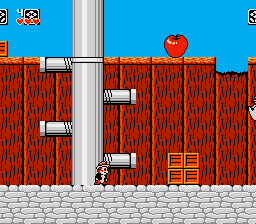
Players guide one of the two chipmunk heroes through linear levels filled with enemies and obstacles. The core action involves jumping between platforms, collecting items, and tossing boxes or enemies at foes. The controls are responsive and the level design encourages exploration, though the game lacks the polish of its commercial counterparts.
For retro enthusiasts curious about unofficial Genesis titles, this one offers a different take on a beloved franchise. It's not as refined as the Capcom original, but it captures the spirit of the cartoon and provides a decent challenge. If you enjoy obscure unlicensed games or want to see how independent developers handled a licensed property on the Genesis, it's worth a look.
GAME INFO
- Platform
- SEGA Genesis
- Genre
- Platformer
More Chip 'n Dale Rescue Rangers Games
Ready for another round? Explore more Chip 'n Dale Rescue Rangers games and console editions. Choose a game below to play it on its own page.

How to play Chip 'n Dale Rescue Rangers online
Getting Started
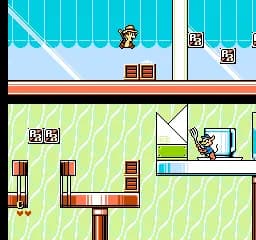
When you boot up the game, you'll see a title screen with no language barrier - menus are in English. Press Start to begin. You can choose between single player or two player cooperative mode at the beginning. The game immediately drops you into the first stage: a warehouse.
The objective is simple - reach the end of each level while avoiding hazards like spikes and enemies. You can pick up crates and throw them at enemies to stun or defeat them. The jump button lets you cross gaps and hit higher platforms. Collecting stars and fruit scores points and can restore health.
There are no save or password features, so you must finish the game in one sitting. If you lose all lives, it's back to the start. The game has about five levels, each with a boss fight at the end. Patience and pattern memorization are key, especially against the later bosses.
CONTROLS
Controls
- Arrow Keys: D-Pad / Movement
- X: A button
- S: B button
- Z: C button
- A: X button (6-button pad)
- Q: Y button (6-button pad)
- E: Z button (6-button pad)
- Enter: Start / Mode
Chip 'n Dale Rescue Rangers FAQ
Can players save progress in Chip 'n Dale Rescue Rangers?
No saving mechanism exists. The game offers no passwords or battery backup, so completing it requires a single continuous playthrough.
Roughly how long does it take to finish Chip 'n Dale Rescue Rangers?
A typical run takes around 20 to 30 minutes once you know the levels, but first attempts can be longer due to the lack of continues and the need to restart upon losing all lives.
Is Chip 'n Dale Rescue Rangers exclusive to SEGA Genesis or did it appear on other systems?
The official Capcom game appeared on the NES, but this specific unlicensed version is only available for the SEGA Genesis. It is not a port of the NES game, but a separate unofficial adaptation.
You may also like
All SEGA Genesis games











GAME INFO
- Platform
- SEGA Genesis
- Genre
- Platformer
COMMENTS (0)
No comments yet. Be the first to share your thoughts.