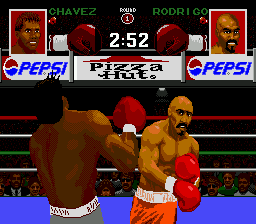
The game loads when you press Play · press “Play Now” inside the game if it asks.
Chavez II (USA)
Chavez II
Chavez II Overview
- SEGA Genesis
- Sports
- Homebrew
- 5· 0 votes
GAME INFO
- Platform
- SEGA Genesis
- Genre
- Sports
- Region
- USA
More Chavez Games
Ready for another round? Explore more Chavez games and console editions. Choose a game below to play it on its own page.
How to play Chavez II online
Getting Started
Boot up Chavez II and you will be greeted by a simple title screen. From there, you likely press Start to enter a menu where you choose between a single-player match against the AI or a two-player versus mode. If the game offers multiple boxers, you can select one here. The exact menu text is in English (given the (USA) label), so navigation should be straightforward.
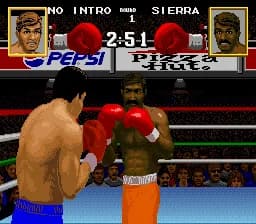
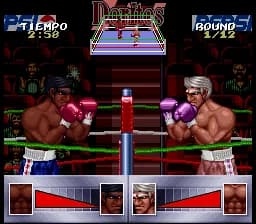
The core loop of Chavez II is pure arcade boxing: move around the ring with the D-Pad, throw punches with the A and B buttons, and try to land clean hits while avoiding the opponent's attacks. Each round is timed, and a knockdown or knockout ends it. Pay attention to the health bar and stamina indicator (if present) - if you get too aggressive, you may leave yourself open to counters.
A new player should start with the easiest difficulty setting if available, as the AI can be unforgiving. Experiment with the two attack buttons to see which produces a faster jab versus a heavier punch. The game is simple at its core, so focus on timing your punches and backing away to recover. There is no elaborate story or progression system - just rounds of boxing until someone falls.
CONTROLS
Controls
- Arrow Keys: D-Pad / Movement
- X: A button
- S: B button
- Z: C button
- A: X button (6-button pad)
- Q: Y button (6-button pad)
- E: Z button (6-button pad)
- Enter: Start / Mode
Chavez II FAQ
Is Chavez II considered easy to pick up or challenging?
It uses a straightforward two-button control scheme that is easy to learn, but the AI opponent can be quite aggressive and punishing, especially on higher difficulties. The game offers no tutorial, so expect some trial and error before landing consistent knockouts.
Roughly how long does it take to finish Chavez II?
A single match lasts about two or three minutes, and there is no documented career or tournament mode. The total playtime depends on how many matches you play or how quickly you beat the AI; most players can see everything in under fifteen minutes.
Is Chavez II exclusive to SEGA Genesis or did it appear on other systems?
Based on available information, Chavez II was only released for the SEGA Genesis as a homebrew ROM. It has not appeared on any other platform, and no official ports or re-releases are known.
You may also like
All SEGA Genesis games











GAME INFO
- Platform
- SEGA Genesis
- Genre
- Sports
- Region
- USA
COMMENTS (0)
No comments yet. Be the first to share your thoughts.