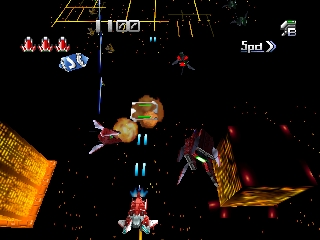
The game loads when you press Play · press “Play Now” inside the game if it asks.
Dezaemon 3D (Japan)
Dezaemon 3D
What is Dezaemon 3D?
- Nintendo 64
- Simulation
- 5· 0 votes
GAME INFO
- Platform
- Nintendo 64
- Genre
- Simulation
- Developer
- Athena
- Released
- 1998
- Players
- 1
- Region
- Japan
How to play Dezaemon 3D online
Getting started in Dezaemon 3D involves navigating the main menu, which is entirely in Japanese. Familiarize yourself with the options available, as they include game creation and play modes. Once you select the creation mode, you can begin designing your own levels using the available tools.
\nThe core loop consists of creating a level, testing it, and refining your design. Players can adjust various parameters such as enemy placement and level layout. Keep in mind that the menus and prompts are in Japanese, so it may be helpful to look up translations or guides online to ease your navigation through the game’s creation features.
CONTROLS
Controls
- Arrow Keys — D-Pad / Movement
- X — A button
- S — B button
- Z — Z trigger
- A — C-Down
- Q — L shoulder
- E — R shoulder
- Enter — Start
Dezaemon 3D FAQ
Does Dezaemon 3D have a multiplayer or co-op mode?
There is no multiplayer or co-op mode in Dezaemon 3D. The game is focused on single-player experiences, specifically in creating and playing custom levels.
Is Dezaemon 3D exclusive to Nintendo 64 or did it appear on other systems?
Dezaemon 3D is exclusive to the Nintendo 64 and did not appear on other systems. It was developed specifically for that platform, catering to its unique capabilities.
Who developed Dezaemon 3D?
Grev is the developer behind Dezaemon 3D. They are known for creating several titles that focus on game creation and customization.
You may also like
All Nintendo 64 games











GAME INFO
- Platform
- Nintendo 64
- Genre
- Simulation
- Developer
- Athena
- Released
- 1998
- Players
- 1
- Region
- Japan
COMMENTS (0)
No comments yet. Be the first to share your thoughts.