The game loads when you press Play · press “Play Now” inside the game if it asks.
Zoom 909
Zoom 909
Zoom 909 on MSX1
GAME INFO
How to play Zoom 909 online
Getting Started
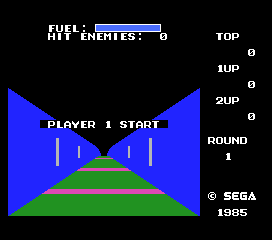
When the game loads, you are likely taken directly to the title screen. Press Start (Enter) to begin. The game probably uses simple one-button controls: use the arrow keys to move your ship and press the attack button (X/S) to fire. If menus appear, they will be in Japanese, so look for a flashing option and press a button to proceed.
The core gameplay involves moving your ship along the screen, avoiding enemy projectiles and colliding with foes. Your goal is to survive as long as possible and achieve a high score. There is no save feature on the original MSX 1, so each session starts from scratch. Practice makes perfect when learning enemy patterns.
CONTROLS
Controls
- Arrow Keys: D-Pad / Movement
- X: Trigger 1
- S: Trigger 2
- Enter: Start
Zoom 909 FAQ
Can players save progress in Zoom 909?
The original MSX hardware did not support saving game progress for most titles, and Zoom 909 appears to be no exception. Each session must be completed in one sitting, with progress reset upon turning off the computer.
Is Zoom 909 considered easy to pick up or challenging?
Zoom 909 follows the typical arcade shooter formula, which means it is easy to start but difficult to master. New players may find the early levels manageable, but later stages likely demand quick reflexes and memorization of enemy patterns.
Is Zoom 909 exclusive to MSX 1 or did it appear on other systems?
No credible evidence suggests Zoom 909 was ported to other platforms. It appears to be an MSX 1 exclusive, and no official releases on other systems are documented.












COMMENTS (0)
No comments yet. Be the first to share your thoughts.