The game loads when you press Play · press “Play Now” inside the game if it asks.
Roller Ball
Roller Ball
What is Roller Ball?
GAME INFO
How to play Roller Ball online
Getting Started
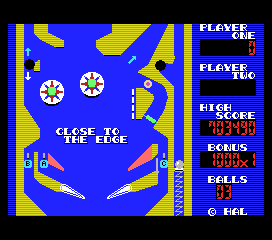
When the game loads, you will likely see a title screen. Press Enter or the Start button (V on keyboard) to begin. The objective is straightforward: move your ball through each maze to reach an exit or complete a goal. Use the Arrow Keys to steer the ball around walls and avoid touching enemies or traps. If this is a Japanese-only title, menus are in Japanese, but the gameplay is intuitive enough that you can start by pressing buttons to see what happens.
The core loop is simple: navigate each stage by rolling to the goal, then proceed to the next level. There are no lives or continues visible; the game may simply end when you are hit by an obstacle, or you might have a limited number of tries. Pay attention to enemy patterns, as they often move in predictable paths. Quick reflexes and careful route planning are key to success.
CONTROLS
Controls
- Arrow Keys: D-Pad / Movement
- X: Trigger 1
- S: Trigger 2
- Enter: Start
Roller Ball FAQ
Is Roller Ball exclusive to MSX 1 or did it appear on other systems?
Most retro gaming archives list Roller Ball only for the MSX 1, and I have not found evidence of ports to other platforms like the NES or arcade boards. It likely remained a Japan-exclusive MSX title.
What makes Roller Ball stand out among MSX 1 titles of its era?
The premise of rolling a ball through mazes was common even back then, but Roller Ball keeps the gameplay simple and fast-paced. Its clean graphics and immediate challenge make it a good pick-up-and-play option compared to more complex MSX games.
Can players save progress in Roller Ball?
The game does not include any save or password feature, as it was designed for quick arcade-style sessions. Players must restart from the beginning each time they turn on the system or reload the game.












COMMENTS (0)
No comments yet. Be the first to share your thoughts.