The game loads when you press Play · press “Play Now” inside the game if it asks.
Mr. Chin
Mr. Chin
What is Mr. Chin?
GAME INFO
How to play Mr. Chin online
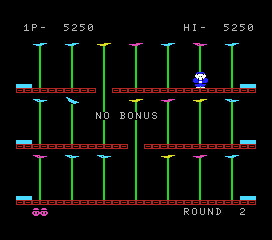
Getting started: Boot up Mr. Chin and you'll likely be dropped into a side-view play area. Your character stands on a flat platform littered with obstacles or enemies. Move left and right with the D-pad, use the A button (X key) to jump over hazards, and the B button (S key) to attack or interact. The game proceeds in short stages, each ending when you collect a certain number of items or reach a goal point.
The core loop is simple: avoid or dispatch enemies, gather collectibles, and reach the exit. There is no pause or save feature, so expect to start from the beginning each time you play. If this is a Japanese-only release, menus will be in Japanese text. Look for recognizable kanji for "start" (スタート) or "continue" (コンティニュー) to navigate.
Because Mr. Chin is a lesser-known title, few reference guides exist. Experiment with the controls and pay attention to enemy movement patterns. Dying resets the stage, so memorize routes and enemy placements to progress. The game is short but demands precision.
CONTROLS
Controls
- Arrow Keys: D-Pad / Movement
- X: Trigger 1
- S: Trigger 2
- Enter: Start
Mr. Chin FAQ
Is Mr. Chin considered easy to pick up or challenging?
Mr. Chin is simple to grasp but can be punishing due to limited lives and no continues. Mastering enemy patterns and tight jumps is required to finish.
Is Mr. Chin an official release, a fan hack, a prototype, or another kind of build?
Its exact status is not widely documented. It appears to be an original game, likely a commercial budget release or a homebrew from the MSX era.
Roughly how long does it take to finish Mr. Chin?
A single playthrough runs about 15 to 30 minutes if you know the stages. First attempts may take longer due to trial-and-error learning.












COMMENTS (0)
No comments yet. Be the first to share your thoughts.