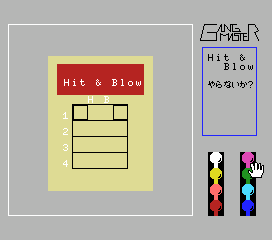
Gang Master
About Gang Master
Gang Master is an MSX 1 title that appears in the retrogames.cc library, but detailed information about its original publisher, developer, and exact release date is not widely documented. It belongs to the early 1980s home computer gaming era, a time when the MSX platform hosted a wide variety of action-focused titles from both Japanese and Western developers. Without official documentation, the game's precise origin remains somewhat obscure, but it stands as one of the many niche releases that made up the MSX library.
The gameplay of Gang Master, based on its genre and platform context, likely involves controlling a character through side-scrolling stages, confronting enemies, and navigating platform-based obstacles. As is typical for many MSX 1 action games, the player probably uses a combination of movement and attack buttons to progress through levels. However, without a confirmed playthrough or manual, specific mechanics like power-ups, level themes, or enemy patterns are not available to describe in detail.
For retro gaming enthusiasts, Gang Master represents the kind of obscure, lesser-known title that makes exploring the MSX library rewarding. It may not have the polish or fame of big-name releases, but it offers a glimpse into the diversity of home computer gaming in the 80s. If you enjoy discovering forgotten gems or experiencing the straightforward action of early computer games, this is worth a few minutes of your time. Just keep your expectations measured - it's a simple, niche title rather than a hidden masterpiece.
How to Play Gang Master Online
To start playing Gang Master, press Enter to bypass the title screen if one appears. The game will likely begin with your character placed on the left side of a scrolling level. Use the arrow keys to move left or right, and press X to jump over gaps or onto platforms. Press S to attack enemies you encounter. The core loop involves progressing from left to right, defeating foes, and reaching the end of each stage.
If the game presents menus in Japanese, you may need to experiment with button presses to navigate. Typically, Start (Enter) confirms a selection, and Select (V) might cycle through options. Pay attention to on-screen cues - even if the text is unfamiliar, the gameplay is usually straightforward. Watch for enemy patterns and avoid obstacles to survive. There is no documented save system, so expect to restart if you lose all lives.
Because specific details about Gang Master are scarce, treat this as a standard MSX action game: move, jump, attack, and explore. If the game does not respond to controls as expected, try adjusting input in the emulator settings. The MSX 1 platform often had simple gameplay loops, so experimentation will likely get you through.
Gang Master Keyboard Controls
Controls
- Arrow Keys: D-Pad / Movement
- X: Trigger 1
- S: Trigger 2
- Enter: Start
Comments (0)











