CHOOSE A VERSION
2 versions · same consoleChoose an original release, regional version, revision, bootleg or clearly labelled ROM hack/mod, then press Play. Hacks may change the gameplay. Switching versions restarts the player.
Selected: Default · USA, Europe · En,Fr,De,Es,It · USA, Europe
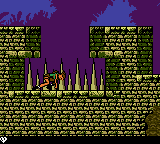
The game loads when you press Play · press “Play Now” inside the game if it asks.
Tomb Raider (USA, Europe) (En,Fr,De,Es,It)
Tomb Raider
About Tomb Raider
- Game Boy Color
- Adventure
- 5· 0 votes
GAME INFO
- Platform
- Game Boy Color
- Genre
- Adventure
- Publisher
- Square Enix
- Developer
- Nixxes Software
- Released
- 2000
- Players
- 1
- Region
- USA, Europe
More Tomb Raider Games
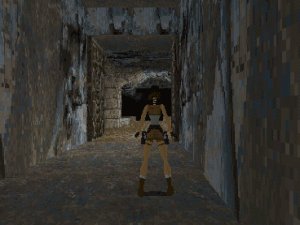
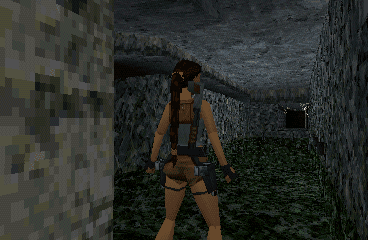
Ready for another round? Explore more Tomb Raider games and console editions. Choose a game below to play it on its own page.
How to play Tomb Raider online
Getting started: When you begin the game, you are placed in the first level, a cave complex. Immediately start moving right with the Arrow Keys and jump over gaps using X. Your first objective is to explore the cave, collect any items you find (like health packs and ammo), and locate the exit. The game gives little direct instruction, so pay attention to the environment for clues about routes and switches.
The core loop involves navigating each area from left to right, but many rooms require backtracking after finding keys or activating switches. Use S to shoot at wolves and bats that attack you - conserving ammunition is wise as you cannot always find more. Pushing blocks (by walking into them) often reveals hidden passages or raises platforms. If you get stuck, try interacting with every object and examining the walls for cracks or levers.
A key tip: save often if the emulator allows save states (press Escape to open the menu). The game does not have a built-in save system, but you can use savestates to avoid replaying long sections. Also, do not hesitate to use your pistols while moving - you can shoot while jumping or walking to hit enemies from a distance.
CONTROLS
Controls
- Arrow Keys: D-Pad / Movement
- X: A button (jump / confirm)
- S: B button (run / attack / cancel)
- Enter: Start / Pause
- V: Select
Tomb Raider FAQ
Is Tomb Raider considered easy to pick up or challenging?
Lara moves with simple controls - run, jump, shoot - but the level designs demand careful planning. Many players find the later stages quite punishing due to tricky jumps and limited health.
What type of game is Tomb Raider?
It is an action-adventure platformer with a strong emphasis on exploration and puzzle-solving. Think side-scrolling maze-like levels that reward curiosity and patience.
Is Tomb Raider exclusive to Game Boy Color or did it appear on other systems?
This specific 2D version was made exclusively for the Game Boy Color. The same brand, however, appears on many other platforms in 3D form, starting with the PlayStation and Sega Saturn in 1996.
You may also like
All Game Boy Color games











GAME INFO
- Platform
- Game Boy Color
- Genre
- Adventure
- Publisher
- Square Enix
- Developer
- Nixxes Software
- Released
- 2000
- Players
- 1
- Region
- USA, Europe
COMMENTS (0)
No comments yet. Be the first to share your thoughts.