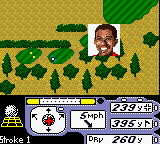
The game loads when you press Play · press “Play Now” inside the game if it asks.
Tiger Woods PGA Tour 2000 (USA, Europe)
Tiger Woods PGA Tour 2000
Tiger Woods PGA Tour 2000 - Sports Classic
- Game Boy Color
- Sports
- 5· 0 votes
Tiger Woods PGA Tour 2000 on Game Boy Color is a golf simulation that hit shelves in 2000, published by EA Sports. It's part of the long-running series that brought the pro golfer's name to multiple platforms, and this handheld version was designed for Nintendo's 8-bit portable. The game compresses full 18-hole rounds into a compact cartridge, aiming to capture the feel of real course management on a tiny screen. If you were into golf games on the Game Boy Color, this was one of the more polished options available at the time.
You take control of Tiger Woods (or other pro golfers) and work through a series of tournaments or single rounds. The core loop involves selecting a club, adjusting your aim and power with the d-pad, and timing your swing with button presses. The course is shown from a top-down perspective with a scrolling view, and you'll contend with hazards like water, sand traps, and trees. Putting uses a separate grid overlay to judge breaks. Between shots you can check the wind speed and lie conditions, and you can also choose to play a quick round or a full season mode if the cartridge supports it. The game saves progress via password or battery backup, depending on the version.
Today it's worth a look if you appreciate retro golf games that don't overcomplicate things. The Game Boy Color library didn't have a ton of sports sims with licensed pros, so this one stands as a solid representation of the genre on the platform. The controls are straightforward once you get the hang of them, and the game moves at a brisk pace, making it good for short play sessions. It's not as deep as console versions, but it captures the essential experience of playing a round of golf on a handheld without fluff. If you're curious how golf translated to the Game Boy Color, this is a reliable entry to try.
GAME INFO
- Platform
- Game Boy Color
- Genre
- Sports
- Publisher
- Electronic Arts
- Developer
- Electronic Arts
- Released
- 2000
- Players
- 1-2
- Region
- USA, Europe
More Tiger Woods PGA Tour Games
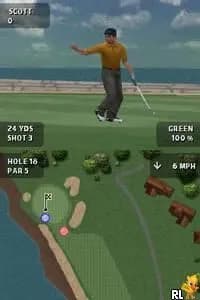
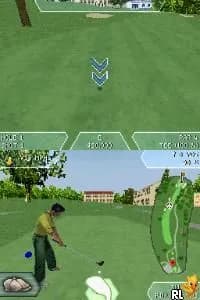
Ready for another round? Explore more Tiger Woods PGA Tour games and console editions. Choose a game below to play it on its own page.
How to play Tiger Woods PGA Tour 2000 online
Getting Started
When you first start Tiger Woods PGA Tour 2000, you'll be greeted by a menu screen. Use the D-Pad to highlight options like "Play Game", "Options", or "Password". Confirm your choice with the A button (X key on keyboard). In "Play Game", you can choose a mode - typically Stroke Play, Match Play, or Tournament. Pick a golfer from the available roster; Tiger Woods is the default.
The core gameplay loop is simple: you see a top-down view of the current hole. First, aim your shot using the D-Pad to move a targeting reticle left or right. Then select a club - the game will suggest one based on distance, but you can change it. Press the A button to start the swing meter. A power bar moves up and down; press A again to set power. Then a second meter determines accuracy - press A again to stop it near the center. If you miss, the ball may slice or hook.
After each shot, the game advances your position. Pay attention to wind direction and lie (fairway, rough, sand, green). Putting uses a separate grid that shows slope. Practice the timing on the swing meter because it's the key to consistent play. You can also use options to view the scorecard or save your game progress via password. If you're new, start with a short nine-hole round on an easy course to get the hang of the controls.
CONTROLS
Controls
- Arrow Keys: D-Pad / Movement
- X: A button (jump / confirm)
- S: B button (run / attack / cancel)
- Enter: Start / Pause
- V: Select
Tiger Woods PGA Tour 2000 FAQ
What type of game is Tiger Woods PGA Tour 2000?
A sports simulation golf game where you control pro golfers through realistic courses. It focuses on club selection, swing timing, and course management.
Is Tiger Woods PGA Tour 2000 exclusive to Game Boy Color or did it appear on other systems?
It also appeared on PlayStation, Nintendo 64, and Windows PC, but the Game Boy Color version is a standalone handheld port with its own simplified controls and graphics.
Is Tiger Woods PGA Tour 2000 an official release, a fan hack, a prototype, or another kind of build?
It is an official commercial release from EA Sports, part of the regular Tiger Woods PGA Tour series. No known mods or hacks exist for this version.
You may also like
All Game Boy Color games











GAME INFO
- Platform
- Game Boy Color
- Genre
- Sports
- Publisher
- Electronic Arts
- Developer
- Electronic Arts
- Released
- 2000
- Players
- 1-2
- Region
- USA, Europe
COMMENTS (0)
No comments yet. Be the first to share your thoughts.