CHOOSE A VERSION
2 versions · same consoleChoose an original release, regional version, revision, bootleg or clearly labelled ROM hack/mod, then press Play. Hacks may change the gameplay. Switching versions restarts the player.
Selected: Default · USA · USA
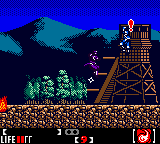
The game loads when you press Play · press “Play Now” inside the game if it asks.
Return of the Ninja (USA)
Return of the Ninja
Return of the Ninja on GBC
- Game Boy Color
- Action
- 5· 0 votes
GAME INFO
- Platform
- Game Boy Color
- Genre
- Action
- Players
- 1
- Region
- USA
More Shinobi Games
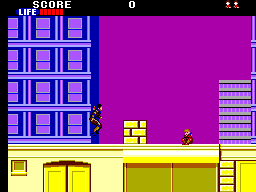
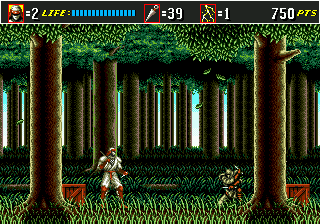
Ready for another round? Explore more Shinobi games and console editions. Choose a game below to play it on its own page.
How to play Return of the Ninja online
Getting Started
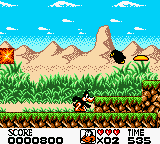
Start the game by pressing Enter or X. You control a ninja through side-scrolling stages, running left to right while dispatching enemies with shurikens or a sword. The core loop involves navigating each stage, collecting power-ups, and defeating the end-level boss. Enemies can hit you from both sides, so keep moving and use the jump button (X) to dodge and attack from above.
Because this is a fan-made demake, there is no in-game save feature. Use the emulator's save state function (usually accessible from the menu) to save progress. The game is challenging - enemies respawn if you backtrack, and boss fights require pattern learning. Start on the easiest difficulty if available, and don't hesitate to use savestates to practice tough sections.
CONTROLS
Controls
- Arrow Keys: D-Pad / Movement
- X: A button (jump / confirm)
- S: B button (run / attack / cancel)
- Enter: Start / Pause
- V: Select
Return of the Ninja FAQ
Who developed Return of the Ninja?
The developer is not widely documented. This appears to be a fan-made project, and no official group or individual is credited in available records.
Is Return of the Ninja considered easy to pick up or challenging?
It carries the difficulty of the original Shinobi III, meaning it is quite challenging. Enemies hit hard, and boss fights demand pattern recognition and quick reflexes.
Can players save progress in Return of the Ninja?
The game does not include a built-in save feature. To keep progress, use emulator save states (often mapped to a key like F5) to create checkpoints.
You may also like
All Game Boy Color games
GAME INFO
- Platform
- Game Boy Color
- Genre
- Action
- Players
- 1
- Region
- USA
COMMENTS (0)
No comments yet. Be the first to share your thoughts.