The game loads when you press Play · press “Play Now” inside the game if it asks.
Resident Evil (Bugfix v1.0)
Resident Evil
Resident Evil: GBC Horror
- Game Boy Color
- Horror
- Demake
- 5· 0 votes
Unofficial demake. The notes below come from community sources and have not been verified against the patch itself, so levels, mechanics and features may differ from what is described.
GAME INFO
- Platform
- Game Boy Color
- Genre
- Horror
- Players
- 1
- Version
- v1.0
- Based on
- Resident Evil
More Resident Evil Games
Ready for another round? Explore more Resident Evil games and console editions. Choose a game below to play it on its own page.
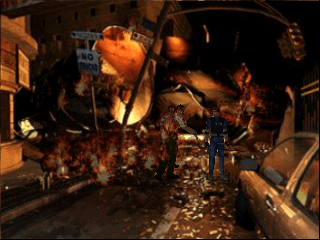
How to play Resident Evil online
Getting Started
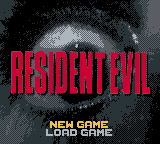
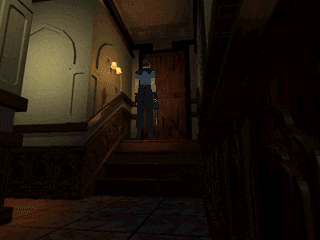
When you launch the game, you'll be greeted by a title screen - press Enter (Start) to begin. Most likely you'll then select a character (Chris or Jill, as in the original), though the exact prompt depends on how faithfully the demake replicates the PS1 version. Use the Arrow Keys to move your character through the mansion's rooms. X (A button) confirms selections and interacts with doors, items, or puzzles. S (B button) cancels or runs, which helps dodge enemies when you're low on health.
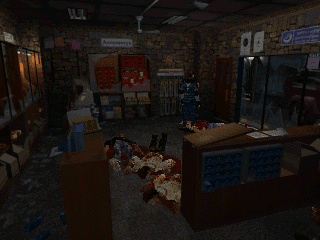
The core loop is simple: explore each room thoroughly, pick up any items lying around (herbs, keys, ammo), and try to unlock doors that lead deeper into the mansion. Your health is displayed on a small meter or by a color indicator on the screen - use green herbs to heal when you're in the caution or danger zone. Ammo is limited, so don't waste shots on every zombie; sometimes it's smarter to run past them and save bullets for tougher encounters.
One important note: this is a fan-made project, so menus and text are most likely in English. If you run into Japanese text, just try each option until you find "New Game" or the equivalent. Saving might be handled via in-game save points (likely typewriters as in the original) or via save states in your emulator. Check the emulator's save menu often so you don't lose progress.
CONTROLS
Controls
- Arrow Keys: D-Pad / Movement
- X: A button (jump / confirm)
- S: B button (run / attack / cancel)
- Enter: Start / Pause
- V: Select
Resident Evil FAQ
Is Resident Evil exclusive to Game Boy Color or did it appear on other systems?
The original Resident Evil was released for the PlayStation in 1996 and later ported to other platforms like the Sega Saturn and PC. This particular version is an unofficial fan-made demake that runs on the Game Boy Color, so it is not an official port and only exists on that hardware through homebrew channels.
Can players save progress in Resident Evil?
Most fan-made demakes of this era include save functionality, often through password systems or battery-backed in-game saves. The exact method for this bugfix v1.0 build isn't widely documented, but if save points exist, they are likely activated by interacting with a typewriter object - similar to the original game. Using save states provided by the emulator is a reliable alternative.
Does Resident Evil have a multiplayer or co-op mode?
The original PlayStation Resident Evil is a single-player experience, and this Game Boy Color demake follows the same design. There is no cooperative or multiplayer mode. The entire game is designed for one player to explore the mansion and survive the horrors alone.
You may also like
All Game Boy Color games

GAME INFO
- Platform
- Game Boy Color
- Genre
- Horror
- Players
- 1
- Version
- v1.0
- Based on
- Resident Evil
COMMENTS (0)
No comments yet. Be the first to share your thoughts.