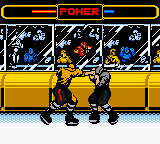
The game loads when you press Play · press “Play Now” inside the game if it asks.
NHL Blades of Steel (USA)
NHL Blades of Steel
NHL Blades of Steel Overview
- Game Boy Color
- Sports
- 5· 0 votes
GAME INFO
- Platform
- Game Boy Color
- Genre
- Sports
- Released
- 2000
- Region
- USA
More NHL Blades of Steel Games
Ready for another round? Explore more NHL Blades of Steel games and console editions. Choose a game below to play it on its own page.
How to play NHL Blades of Steel online
Getting Started
When you boot up NHL Blades of Steel, you are greeted with a title screen and a menu. Select a game mode - likely Exhibition, Tournament, or Season if the game follows typical sports titles of the era. Use the D-Pad to highlight your choice and press Start to confirm.
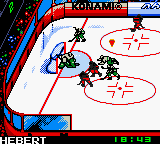
The core gameplay is five-on-five hockey (or maybe smaller teams given the hardware). You control one skater at a time; press B to pass or shoot, and use the D-Pad to skate. The A button might be for sprint or body check. When the opponent has the puck, you can try to steal it by skating into them or using the check button. The objective is simple: score more goals than the other team before time runs out.
New players should start with Exhibition to learn the controls and pacing. The game does not have a deep tutorial, so expect some trial and error. Pay attention to the power meter when shooting - holding the button longer can give you a harder shot. This is a typical early 2000s sports title on Game Boy Color, so keep expectations realistic for the pixelated visuals and simple AI.
CONTROLS
Controls
- Arrow Keys: D-Pad / Movement
- X: A button (jump / confirm)
- S: B button (run / attack / cancel)
- Enter: Start / Pause
- V: Select
NHL Blades of Steel FAQ
Roughly how long does it take to finish NHL Blades of Steel?
A full season mode might take several hours, as you play multiple games. A single match lasts around 5-10 minutes. There isn't a story or linear campaign, so finishing is subjective.
Does NHL Blades of Steel have a multiplayer or co-op mode?
The Game Boy Color version supports two-player link cable play, allowing you to compete against a friend. Co-op versus the computer is not available; it's head-to-head only.
Is NHL Blades of Steel exclusive to Game Boy Color or did it appear on other systems?
This title also came out on the original PlayStation around the same time. The two versions share the same branding but have different graphics and gameplay tailored to each platform.
You may also like
All Game Boy Color games











GAME INFO
- Platform
- Game Boy Color
- Genre
- Sports
- Released
- 2000
- Region
- USA
COMMENTS (0)
No comments yet. Be the first to share your thoughts.