CHOOSE A VERSION
2 versions · same consoleChoose an original release, regional version, revision, bootleg or clearly labelled ROM hack/mod, then press Play. Hacks may change the gameplay. Switching versions restarts the player.
Selected: Default · USA · USA
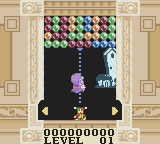
The game loads when you press Play · press “Play Now” inside the game if it asks.
Magical Drop (USA)
Magical Drop
Getting to Know Magical Drop
- Game Boy Color
- Puzzle
- 5· 0 votes
GAME INFO
- Platform
- Game Boy Color
- Genre
- Puzzle
- Region
- USA
More Magical Drop Games
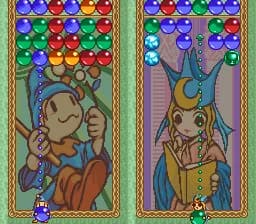
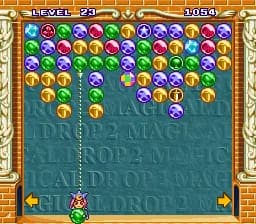
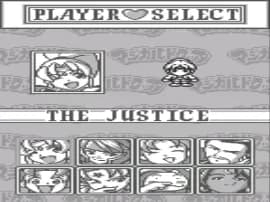
Ready for another round? Explore more Magical Drop games and console editions. Choose a game below to play it on its own page.
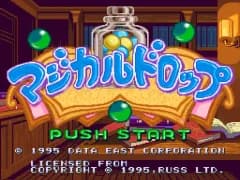
How to play Magical Drop online
Getting started: When you launch the game, you'll see a title screen with options like Play, Options, and High Scores. Use the D-Pad to highlight your choice and press X (A) to confirm. The main game mode is a single-player challenge where you face waves of colored drops.
The core loop is simple: at the bottom of the screen you control a character that can grab one falling drop. Press the B button (S key) to grab it, then aim with the D-Pad and press B again to shoot it upward. Your goal is to group three or more drops of the same color. When you do, they pop and any drops above them may fall, potentially creating chain reactions. Keep an eye on the entire playfield because drops accumulate fast.
New players should start on the easiest difficulty to get a feel for the timing. Don't hoard drops - shoot quickly but accurately. The game speeds up as you clear more drops, so try to clear small groups before they stack too high. There is no pause button, but you can let drops pile up if you need a moment to think, though eventually they'll reach the top and end the game.
CONTROLS
Controls
- Arrow Keys: D-Pad / Movement
- X: A button (jump / confirm)
- S: B button (run / attack / cancel)
- Enter: Start / Pause
- V: Select
Magical Drop FAQ
Who developed Magical Drop?
Data East developed the original Magical Drop arcade game and also handled this Game Boy Color port.
Is Magical Drop exclusive to Game Boy Color or did it appear on other systems?
Magical Drop first appeared on the Neo Geo arcade system and later received home conversions for platforms like Super Nintendo, Sega Genesis, and PlayStation, in addition to this Game Boy Color version.
Roughly how long does it take to finish Magical Drop?
There is no traditional story mode; play time depends on your skill. A single game session might last 10 - 20 minutes, but mastering the high scores and surviving the highest speeds can take many hours of practice.
You may also like
All Game Boy Color games











GAME INFO
- Platform
- Game Boy Color
- Genre
- Puzzle
- Region
- USA
COMMENTS (0)
No comments yet. Be the first to share your thoughts.