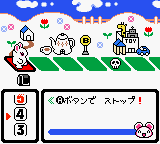
The game loads when you press Play · press “Play Now” inside the game if it asks.
Kisekae Series 3 - Kisekae Hamster (Japan)
Kisekae Series 3 - Kisekae Hamster
Kisekae Series 3 - Kisekae Hamster - Simulation Classic
- Game Boy Color
- Simulation
- 5· 0 votes
GAME INFO
- Platform
- Game Boy Color
- Genre
- Simulation
- Players
- 1
- Region
- Japan
More Kisekae Series Games
Ready for another round? Explore more Kisekae Series games and console editions. Choose a game below to play it on its own page.
How to play Kisekae Series 3 - Kisekae Hamster online
Getting Started
When you boot up Kisekae Series 3 - Kisekae Hamster, you'll be greeted by a title screen entirely in Japanese. Press Start to enter the main menu, which presents options like dressing up, viewing saved outfits, or maybe a settings screen. Since there's no English translation, you'll need to rely on the menu layout and trial and error. The first option is typically the main dress-up mode. Use the D-Pad to highlight it and press X (or Enter) to select.
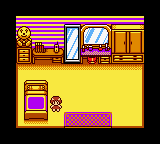
Once inside the dress-up mode, you'll see your hamster in the center of the screen, surrounded by category icons for things like hats, shirts, glasses, and accessories. Navigate through these categories with left/right, then browse individual items with up/down. Pressing X on an item applies it to the hamster instantly. You can remove an item by selecting it again or pressing cancel. The goal is simply to experiment with different combinations until you're happy with the look. There is no scoring, no time limit, and no objective beyond customisation. To save an outfit, look for a save option in the menu (often a disk icon or a kanji that looks like a floppy disk).
Because the game is entirely in Japanese, knowing a few key kanji can help: 着替え (kigae) means dress-up, 保存 (hozon) means save, 消去 (shoukyo) means delete. If you don't recognise any characters, just remember the menus are short and you can explore without fear of breaking anything. This is a simple, relaxed experience meant for quick sessions. Take your time, try every item, and enjoy the absurdity of dressing a pixelated hamster in tiny bowties and sunglasses.
CONTROLS
Controls
- Arrow Keys: D-Pad / Movement
- X: A button (jump / confirm)
- S: B button (run / attack / cancel)
- Enter: Start / Pause
- V: Select
Kisekae Series 3 - Kisekae Hamster FAQ
Roughly how long does it take to finish Kisekae Series 3 - Kisekae Hamster?
It's a very short game. Browsing through all the available items and trying different outfits could take around 15 to 30 minutes. There is no story or levels to complete, so the length depends entirely on how long you want to experiment with the dress-up options.
In what year was Kisekae Series 3 - Kisekae Hamster originally released?
The exact release year is not widely documented in English sources. Based on the style and the series timeline, it likely came out around 2000 or 2001, but this is not confirmed. Official release data from Japanese archives would be needed to pin down the precise year.
Who developed Kisekae Series 3 - Kisekae Hamster?
The developer of this game is not widely known or documented. It was published by a Japanese company that handled the Kisekae series, but the specific development studio remains uncredited in most available information. Without access to the game's original packaging or manuals, the developer can only be listed as unknown.
You may also like
All Game Boy Color games











GAME INFO
- Platform
- Game Boy Color
- Genre
- Simulation
- Players
- 1
- Region
- Japan
COMMENTS (0)
No comments yet. Be the first to share your thoughts.