The game loads when you press Play · press “Play Now” inside the game if it asks.
Sennou Millenium (J) [M]
Sennou Millenium
Inside Sennou Millenium
- WonderSwan
- Puzzle
- 5· 0 votes
GAME INFO
- Platform
- WonderSwan
- Genre
- Puzzle
- Region
- Japan
- Version
- M
How to play Sennou Millenium online
Getting Started
When you first boot up Sennou Millenium, you will be greeted by a title screen and then a menu that is entirely in Japanese. The first item is likely "Start" or "New Game", so pressing Enter (Start) or X (confirm) should begin the game. If you see multiple options, try selecting the top one first - it is usually the main mode.
The core gameplay appears to be a puzzle or brain-teaser. You will likely see a grid or a set of items on the screen. Use the Arrow Keys to move a cursor or select tiles, and press X or S to interact with them. The objective may be to match patterns, clear blocks, or solve logic puzzles. Pay attention to any visual feedback - flashing tiles, score counters, or timers - to understand what is expected.
Since there is no English patch available, you will need to experiment to learn the rules. Watch the screen for changes after each action. If you get stuck, try pressing the V (Select) button to see if there is an options menu or a reset function. The game is simple enough that most puzzles can be figured out through trial and error, even without understanding the text.
CONTROLS
Controls
- Arrow Keys: D-Pad / Movement
- X: A button
- S: B button
- Enter: Start
- V: Sound
Sennou Millenium FAQ
Who developed Sennou Millenium?
The specific developer for Sennou Millenium is not widely documented. It was likely produced by a small Japanese studio under contract for Bandai's WonderSwan, but no credible source confirms the exact company.
Is Sennou Millenium an official release, a fan hack, a prototype, or another kind of build?
Based on available information, it appears to be an official commercial release for the WonderSwan in Japan. The "[M]" in the filename may denote a version or revision, but it is not a fan hack or prototype to our knowledge.
Is Sennou Millenium exclusive to WonderSwan or did it appear on other systems?
This game was released only for the Bandai WonderSwan and has not been ported or re-released on any other platform. It is a handheld exclusive that remains tied to that system.
You may also like
All WonderSwan games Digimon Adventure 02 - D1 Tamers
 Alchemist Marie & Elie - Futari no Atelier
 Dragonball
 Uchuu Senkan Yamato
 Hunter X Hunter - Greed Island
 Pocket Fighter
 Digimon Digital Monsters - Anode & Cathode Tamer - Veedramon Version
 Puzzle Bobble
 Digimon Tamers - Brave Tamer
 Digimon Tamers - Digimon Medley
 From TV Animation - One Piece - Niji no Shima Densetsu
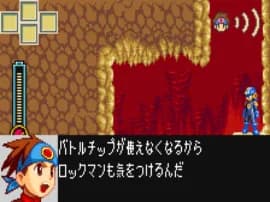 Rockman EXE WS
GAME INFO
- Platform
- WonderSwan
- Genre
- Puzzle
- Region
- Japan
- Version
- M
COMMENTS (0)
No comments yet. Be the first to share your thoughts.