
The game loads when you press Play · press “Play Now” inside the game if it asks.
SD Gundam G Generation - Mono-Eye Gundams (J)
SD Gundam G Generation - Mono-Eye Gundams
SD Gundam G Generation - Mono-Eye Gundams - Strategy Classic
- WonderSwan
- Strategy
- 5· 0 votes
GAME INFO
- Platform
- WonderSwan
- Genre
- Strategy
- Publisher
- Bandai
- Region
- Japan
How to play SD Gundam G Generation - Mono-Eye Gundams online
CONTROLS
Controls
- Arrow Keys: D-Pad / Movement
- X: A button
- S: B button
- Enter: Start
- V: Sound
SD Gundam G Generation - Mono-Eye Gundams FAQ
Can players save progress in SD Gundam G Generation - Mono-Eye Gundams?
Save data is supported via the WonderSwan's internal battery, allowing progress to be stored between missions. A save option appears in the base menu after completing a battle. No passwords are needed, but the battery may need replacement on old hardware.
Is SD Gundam G Generation - Mono-Eye Gundams exclusive to WonderSwan or did it appear on other systems?
This title was released only for the WonderSwan in Japan. No versions for other platforms exist. The G Generation series has many entries on PlayStation and Nintendo systems, but this specific subtitle was a handheld exclusive.
Does SD Gundam G Generation - Mono-Eye Gundams have a multiplayer or co-op mode?
There is no multiplayer mode. The game is strictly single-player, focusing on campaign missions and unit management. The WonderSwan's link cable could support versus play in some titles, but this game does not utilize it.
You may also like
All WonderSwan games Digimon Adventure 02 - D1 Tamers
 Alchemist Marie & Elie - Futari no Atelier
 Dragonball
 Uchuu Senkan Yamato
 Hunter X Hunter - Greed Island
 Pocket Fighter
 Digimon Digital Monsters - Anode & Cathode Tamer - Veedramon Version
 Puzzle Bobble
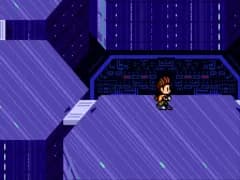 Digimon Tamers - Brave Tamer
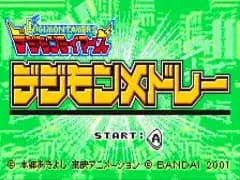 Digimon Tamers - Digimon Medley
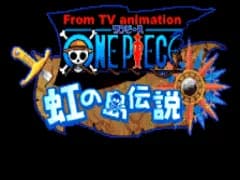 From TV Animation - One Piece - Niji no Shima Densetsu
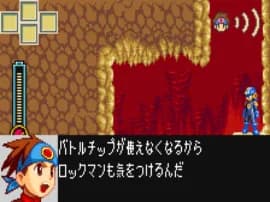 Rockman EXE WS
GAME INFO
- Platform
- WonderSwan
- Genre
- Strategy
- Publisher
- Bandai
- Region
- Japan
COMMENTS (0)
No comments yet. Be the first to share your thoughts.