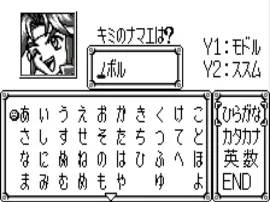
The game loads when you press Play · press “Play Now” inside the game if it asks.
Harobots (J) [M]
Harobots
Harobots on WS
- WonderSwan
- Simulation
- Unknown
- 5· 0 votes
GAME INFO
- Platform
- WonderSwan
- Genre
- Simulation
- Region
- Japan
How to play Harobots online
Getting started with Harobots on the WonderSwan requires understanding that this is a Japanese-only title, so menus and text appear in Japanese. When the game boots, you will likely see a title screen followed by a menu. Use the D-pad to navigate and the A button (X key) to confirm selections. If the game has a mode select, starting with the first option is usually safe for single-player gameplay.
The core loop is not well documented, but based on the title, you may be controlling or interacting with robots in some form. Expect to use the D-pad for movement and the B button (S key) for actions like attack or cancel. Pay attention to on-screen symbols or recurring patterns to infer what each option does. If the game features a tutorial or demonstration, let it play through to learn basic mechanics.
If you encounter a save file screen, the system likely uses battery-backed RAM or passwords. Try selecting the first empty slot. For navigating menus in Japanese, note common kanji for "start" (スタート), "continue" (コンティニュー), and "options" (オプション). When in doubt, experiment with button presses to advance, and remember that the Select key (V) may toggle additional options or back out of menus.
CONTROLS
Controls
- Arrow Keys: D-Pad / Movement
- X: A button
- S: B button
- Enter: Start
- V: Sound
Harobots FAQ
Who developed Harobots?
The developer of Harobots is not widely documented in available archives. It was likely produced by a smaller studio collaborating with Bandai, but no specific name is confirmed.
Which regions was Harobots released in?
Harobots was released exclusively in Japan, as indicated by the "(J)" in its filename and the lack of evidence of international distribution.
Is Harobots exclusive to WonderSwan or did it appear on other systems?
Harobots appears to be exclusive to the WonderSwan. No ports or re-releases on other platforms have been documented.
You may also like
All WonderSwan games Digimon Adventure 02 - D1 Tamers
 Alchemist Marie & Elie - Futari no Atelier
 Dragonball
 Uchuu Senkan Yamato
 Hunter X Hunter - Greed Island
 Pocket Fighter
 Digimon Digital Monsters - Anode & Cathode Tamer - Veedramon Version
 Puzzle Bobble
 Digimon Tamers - Brave Tamer
 Digimon Tamers - Digimon Medley
 From TV Animation - One Piece - Niji no Shima Densetsu
 Rockman EXE WS
GAME INFO
- Platform
- WonderSwan
- Genre
- Simulation
- Region
- Japan
COMMENTS (0)
No comments yet. Be the first to share your thoughts.