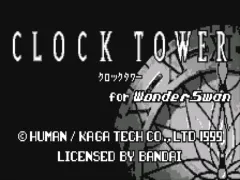
The game loads when you press Play · press “Play Now” inside the game if it asks.
Clock Tower (J) [M]
Clock Tower
Clock Tower Overview
- WonderSwan
- Horror
- 5· 0 votes
You control Jennifer Simpson, an orphan who has just been adopted by the Barrows family. Shortly after arriving at their sprawling mansion, another girl is murdered by a mysterious stalker wielding giant scissors - Scissorman. Your goal is to explore the mansion, find items that unlock paths and secrets, and ultimately escape while avoiding Scissorman's patrols. The game uses a cursor-based interface: you move a pointer over objects or exits and press the A button to examine or interact. When Scissorman appears, you must run to a hiding spot or outrun him until he loses interest. Your choices lead to one of several multiple endings, encouraging replay to see how events can diverge.
This WonderSwan version is a faithful port of the Super Famicom original, bringing its signature tension and point-and-click mechanics to a handheld screen. It's a rare opportunity to play a seminal horror game on the go, though the Japanese menus can be a hurdle. If you're familiar with the original through emulation or later ports, this version offers the same slow-burn dread and branching paths. For collectors of WonderSwan survival horror, it's a must-try, but be prepared for the language barrier and the deliberately clunky interface that adds to the oppressive atmosphere.
GAME INFO
- Platform
- WonderSwan
- Genre
- Horror
- Players
- 1
- Region
- Japan
More Clock Tower Games
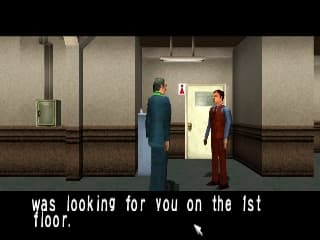
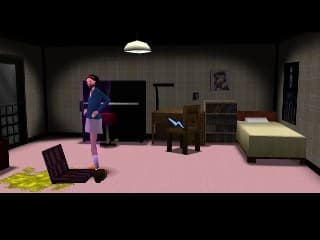
Ready for another round? Explore more Clock Tower games and console editions. Choose a game below to play it on its own page.
How to play Clock Tower online
Getting Started
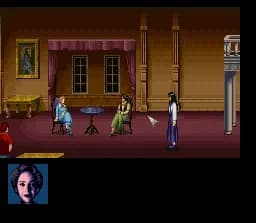
When you start Clock Tower for WonderSwan, you will see the title screen in Japanese. Press Enter (Start) to begin a new game. The first scene shows you in the entrance hall of Barrows Mansion. Use the D-Pad to move the cursor around the screen - the cursor is a small arrow. To interact with something, position the cursor over it and press X (A button). Examine furniture, doors, and objects to find clues and items. The game is entirely menu-driven; you don't directly control a character avatar, but instead navigate static screens with cursor-based interactions.
Your immediate goal is to explore and look for ways to progress deeper into the mansion. Scissorman can appear at any moment. When you hear his distinctive footsteps or screeching sound, you need to quickly hide or run. Press S (B button) to make Jennifer sprint, but she tires quickly. Look for closets, under beds, or behind curtains to hide. If Scissorman catches you, you may get a game over or a branching event. The game saves checkpoints automatically when you reach certain rooms, but it's not explicit. Pay attention to the environment: paintings, books, and puzzles often hide keys or switches. Since all text is in Japanese, memorize the screen layouts and item positions from the original game if possible, or use a walkthrough to understand the flow.
CONTROLS
Controls
- Arrow Keys: D-Pad / Movement
- X: A button
- S: B button
- Enter: Start
- V: Sound
Clock Tower FAQ
Does Clock Tower have a multiplayer or co-op mode?
No. Clock Tower is a single-player experience with no multiplayer or co-op functionality. The game focuses entirely on solo exploration and evasion of Scissorman.
Is Clock Tower exclusive to WonderSwan or did it appear on other systems?
It originally launched on the Super Famicom in 1995. The WonderSwan received a port later, and the game also saw releases on PlayStation and other platforms. This version is specifically the WonderSwan port.
In what year was Clock Tower originally released?
The original Clock Tower was released in 1995 for the Super Famicom. The WonderSwan port arrived a few years afterward, but the initial release year is 1995.
You may also like
All WonderSwan games Digimon Adventure 02 - D1 Tamers
 Alchemist Marie & Elie - Futari no Atelier
 Dragonball
 Uchuu Senkan Yamato
 Hunter X Hunter - Greed Island
 Pocket Fighter
 Digimon Digital Monsters - Anode & Cathode Tamer - Veedramon Version
 Puzzle Bobble
 Digimon Tamers - Brave Tamer
 Digimon Tamers - Digimon Medley
 From TV Animation - One Piece - Niji no Shima Densetsu
 Rockman EXE WS
GAME INFO
- Platform
- WonderSwan
- Genre
- Horror
- Players
- 1
- Region
- Japan
COMMENTS (0)
No comments yet. Be the first to share your thoughts.