The game loads when you press Play · press “Play Now” inside the game if it asks.
Earthworm Jim - Special Edition
Earthworm Jim - Special Edition
Getting to Know Earthworm Jim - Special Edition
- SEGA CD
- Platformer
- 5· 0 votes
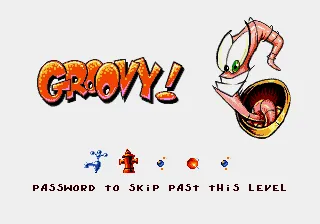
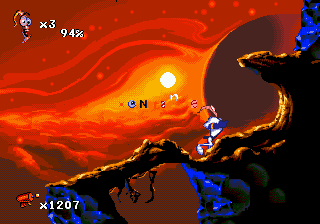
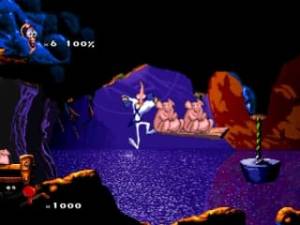
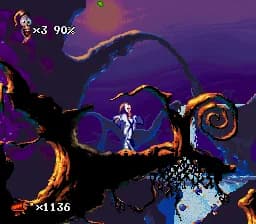
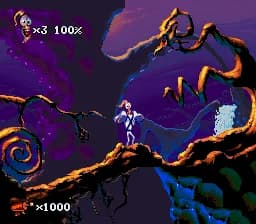
Earthworm Jim - Special Edition for the SEGA CD retains the core gameplay loop of the original Earthworm Jim platformer series, centered around guiding the eccentric worm protagonist through a series of side-scrolling levels filled with enemies, obstacles, and platforming challenges. Players control Jim as he uses his unique worm-like flexibility and his powerful blaster to navigate levels, defeat foes, and solve environmental puzzles. The game emphasizes precise jumping, timing, and quick reflexes, typical of mid-90s platformers, with a mix of action and humor delivered through the character’s animations and level design.
Released in 1995 exclusively for the SEGA CD in the USA, Earthworm Jim - Special Edition is part of the mid-90s wave of platformers that leveraged the additional storage capacity of CD-ROMs to enhance audio and visuals. The original Earthworm Jim was developed by Shiny Entertainment, but this special edition for the SEGA CD is a less documented variant, often considered a unique release rather than a direct port or a completely new sequel. The SEGA CD platform, known for its multimedia capabilities, allowed for richer soundtracks and sometimes added animated cutscenes, although the core gameplay remained faithful to established platforming conventions of the era.
Playing Earthworm Jim - Special Edition today reveals a gameplay experience that still holds charm due to its quirky character and challenging levels, though some aspects may feel dated compared to modern platformers. The controls and pacing reflect the 16-bit era design philosophy, which can be unforgiving but rewarding for players who appreciate retro difficulty. The humor and animation style remain standout features, giving it a distinct personality that helps it avoid feeling like just another platformer from the 90s. Overall, it offers a nostalgic yet still enjoyable experience for fans of the genre and the character.
GAME INFO
- Platform
- SEGA CD
- Genre
- Platformer
- Released
- 1995
- Players
- 1
- Region
- USA
- Version
- Special Edition
- Based on
- Earthworm Jim
More Earthworm Jim Games
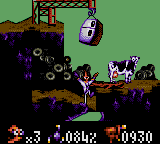
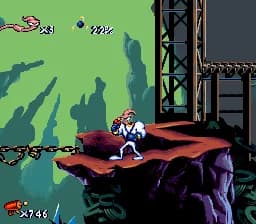
Ready for another round? Explore more Earthworm Jim games and console editions. Choose a game below to play it on its own page.
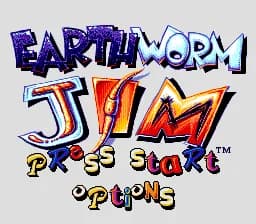
How to play Earthworm Jim - Special Edition online
To get started in Earthworm Jim - Special Edition on the SEGA CD, you control the titular character through various side-scrolling stages filled with enemies and platforming hazards. Your main goal is to navigate each level by running, jumping, and shooting using Jim’s blaster. The game demands precise timing to avoid traps and defeat foes. Collecting items and power-ups will help you survive tougher sections. Focus on learning enemy patterns and using Jim’s unique abilities to progress through the quirky, animated worlds.
A useful tip is to master Jim’s jump and shoot timing early on, as many obstacles require precision. Also, take your time to explore levels for hidden items or alternate routes, which was a common feature in platformers of this era to encourage replayability and discovery.
CONTROLS
Controls
- Arrow Keys — D-Pad / Movement
- X — A button
- S — B button
- Z — C button
- A — X button (6-button pad)
- Q — Y button (6-button pad)
- E — Z button (6-button pad)
- Enter — Start / Mode
Earthworm Jim - Special Edition FAQ
Is Earthworm Jim - Special Edition an official release, a fan hack, a prototype, or another kind of build?
Earthworm Jim - Special Edition for the SEGA CD is an official release from 1995. It is not a fan hack or prototype but a special version tied to the SEGA CD platform.
Is Earthworm Jim - Special Edition exclusive to SEGA CD or did it appear on other systems?
This Special Edition is exclusive to the SEGA CD platform and was released only in the USA. It did not appear on other systems under this exact title.
Does Earthworm Jim - Special Edition have a multiplayer or co-op mode?
The game supports only a single player mode. There is no multiplayer or cooperative gameplay in this version.
You may also like
All SEGA CD games



GAME INFO
- Platform
- SEGA CD
- Genre
- Platformer
- Released
- 1995
- Players
- 1
- Region
- USA
- Version
- Special Edition
- Based on
- Earthworm Jim
COMMENTS (0)
No comments yet. Be the first to share your thoughts.