The game loads when you press Play · press “Play Now” inside the game if it asks.
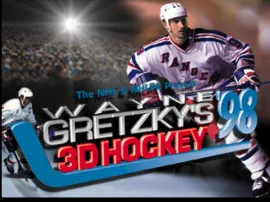
Wayne Gretzky's 3D Hockey '98
Wayne Gretzky's 3D Hockey '98
Wayne Gretzky's 3D Hockey '98 - Sports Classic
- PlayStation PSX
- Sports
- 5· 0 votes
GAME INFO
- Platform
- PlayStation PSX
- Genre
- Sports
- Publisher
- Midway Games
- Developer
- Software Creations
- Released
- 1997
- Players
- 1-2
- Region
- USA
How to play Wayne Gretzky's 3D Hockey '98 online
To get started with Wayne Gretzky's 3D Hockey '98, first select your game mode from the main menu. You can choose between exhibition matches or tournaments. Once you’ve made your selection, navigate through the team menus to pick your favorite squad and prepare for the ice.
During gameplay, you'll control your players using the D-Pad for movement, while the action buttons allow you to pass, shoot, and check opponents. Pay attention to your positioning and utilize strategy to outmaneuver your opponents. The pace is quick, and mastering the controls will help you enjoy the game more fully.
CONTROLS
Controls
- Arrow Keys — D-Pad / Movement
- X — Cross ( × )
- S — Square ( □ )
- Z — Triangle ( △ )
- A — Circle ( ○ )
- Q — L1 shoulder
- E — R1 shoulder
- Enter — Start
- V — Select
Wayne Gretzky's 3D Hockey '98 FAQ
Is Wayne Gretzky's 3D Hockey '98 exclusive to PlayStation PSX or did it appear on other systems?
The game was primarily released for the PlayStation PSX and is not known to have been ported to other systems.
Is there anything iconic or memorable about Wayne Gretzky's 3D Hockey '98?
This title is remembered for its colorful graphics and fast-paced gameplay reflective of the 90s arcade sports games, capturing the excitement of ice hockey.
Who developed Wayne Gretzky's 3D Hockey '98?
The game was developed by Midway, a company that was well-known for creating various arcade games during that era.
You may also like
All PlayStation PSX games











GAME INFO
- Platform
- PlayStation PSX
- Genre
- Sports
- Publisher
- Midway Games
- Developer
- Software Creations
- Released
- 1997
- Players
- 1-2
- Region
- USA
COMMENTS (0)
No comments yet. Be the first to share your thoughts.