The game loads when you press Play · press “Play Now” inside the game if it asks.
Warpman (Japan)
Warpman
What is Warpman?
- Nintendo Entertainment System
- Action
- 5· 0 votes
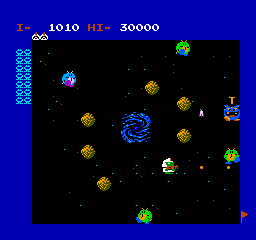
Warpman is a game released exclusively in Japan for the Nintendo Entertainment System. It falls into the action genre and was developed during the late 1980s, a time when the NES was at the height of its popularity. The game has not been widely documented outside its original release, making it a niche title among retro gaming enthusiasts.
In Warpman, players engage in a series of fast-paced action sequences. The gameplay focuses on navigating levels while defeating enemies and overcoming obstacles. Players must utilize various mechanics typical of the action genre, such as jumping and attacking, to progress through the game. While specific details about the game mechanics are scarce, the core loop revolves around completing levels and defeating bosses.
For those exploring the NES library, Warpman offers a taste of the action genre that was prevalent at the time, though it may not be as well-known as other titles. Its simple gameplay and nostalgic graphics can appeal to retro gaming fans looking for lesser-known gems. While it may not stand out against classics like Super Mario Bros. or Mega Man, it still represents a piece of the era's gaming history worth trying for collectors and enthusiasts alike.
GAME INFO
- Platform
- Nintendo Entertainment System
- Genre
- Action
- Publisher
- Namco
- Developer
- Namco
- Released
- 1985
- Players
- 1
- Region
- Japan
How to play Warpman online
Getting started with Warpman involves familiarizing yourself with the game’s controls and mechanics. The game is in Japanese, so players may need to navigate menus without full understanding. Begin by selecting your game mode from the main menu, then jump into the action by moving through levels and engaging enemies.
The core loop of Warpman revolves around defeating enemies and progressing through levels. Players should focus on mastering the controls to navigate effectively, as well as timing jumps and attacks to overcome challenges. Explore each level thoroughly to discover power-ups and secret areas that can enhance your gameplay experience.
CONTROLS
Controls
- Arrow Keys — D-Pad / Movement
- X — A button (jump / confirm)
- S — B button (run / attack / cancel)
- Enter — Start / Pause
- V — Select
Warpman FAQ
Who developed Warpman?
The developer of Warpman is not widely documented, making it difficult to ascertain specific details about the team behind the game.
Is Warpman exclusive to Nintendo Entertainment System or did it appear on other systems?
Warpman was released exclusively for the Nintendo Entertainment System and has not been ported to other systems.
Does Warpman have a multiplayer or co-op mode?
Warpman does not feature a multiplayer or co-op mode, as it is designed primarily as a single-player experience.
You may also like
All Nintendo Entertainment System games











GAME INFO
- Platform
- Nintendo Entertainment System
- Genre
- Action
- Publisher
- Namco
- Developer
- Namco
- Released
- 1985
- Players
- 1
- Region
- Japan
COMMENTS (0)
No comments yet. Be the first to share your thoughts.