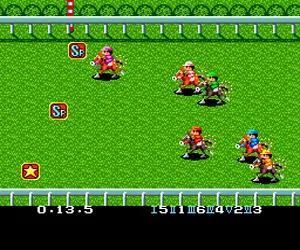
The game loads when you press Play · press “Play Now” inside the game if it asks.
World Jockey (Japan)
World Jockey
World Jockey Overview
- NEC TURBOGRAFX-16
- Simulation
- 5· 0 votes
GAME INFO
- Platform
- NEC TURBOGRAFX-16
- Genre
- Simulation
- Players
- 1
- Region
- Japan
How to play World Jockey online
CONTROLS
Controls
- Arrow Keys: D-Pad / Movement
- X: I button
- S: II button
- Enter: Run / Start
- V: Select
World Jockey FAQ
What makes World Jockey stand out among NEC TURBOGRAFX-16 titles of its era?
It is one of the few horse racing simulations on the TurboGrafx-16, focusing on realistic pacing and stamina management rather than arcade-style action. The game's Japan-only status and lack of localization make it a curiosity for collectors interested in region-exclusive sports titles.
Is World Jockey exclusive to NEC TURBOGRAFX-16 or did it appear on other systems?
World Jockey appears to be exclusive to the NEC TurboGrafx-16 (PC Engine) in Japan, with no confirmed ports to other platforms. No evidence suggests a release on competing systems like the Super Famicom or Mega Drive.
Does World Jockey have a multiplayer or co-op mode?
World Jockey is a single-player experience only, with no multiplayer or co-op modes. The game focuses entirely on competing against AI-controlled jockeys in a series of races.
You may also like
All NEC TURBOGRAFX-16 games











GAME INFO
- Platform
- NEC TURBOGRAFX-16
- Genre
- Simulation
- Players
- 1
- Region
- Japan
COMMENTS (0)
No comments yet. Be the first to share your thoughts.