The game loads when you press Play · press “Play Now” inside the game if it asks.
Walkuere no Densetsu (Japan)
Walkuere no Densetsu
What is Walkuere no Densetsu?
- NEC TURBOGRAFX-16
- Action
- 5· 0 votes
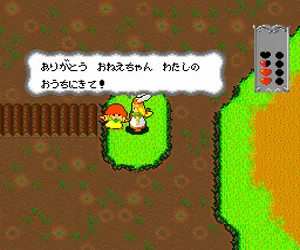
As the titular Valkyrie, you run, jump, and slash through side-scrolling stages filled with monsters and traps. The core loop involves navigating linear levels, defeating enemies with your sword or magic, and collecting crystals and items to boost your stats. Unlike pure action games, you gain experience points and level up, which increases your power and lets you wield better weapons. The game keeps a brisk pace, with short stages and a simple inventory system that adds light RPG depth without slowing down the action.
Today, Walkuere no Densetsu stands as a solid example of early action-RPG design on the TurboGrafx-16. It's not as deep as later titles in the genre, but it offers clean visuals, responsive controls, and a satisfying challenge. If you enjoy arcade-style platformers with light leveling mechanics, this is worth a try. Its Japan-only nature also gives it a bit of hidden-gem status among import fans. Just be prepared for Japanese menus and text throughout.
GAME INFO
- Platform
- NEC TURBOGRAFX-16
- Genre
- Action
- Publisher
- Namco
- Developer
- Namco
- Released
- 1990
- Players
- 1
- Region
- Japan
How to play Walkuere no Densetsu online
Getting Started
When you start the game, you'll see the title screen and a menu in Japanese. Press Enter to advance past the title, then use the D-pad to select an option (usually the first one is "Start") and confirm with X. The main goal is straightforward: move right through each stage, defeating enemies and avoiding obstacles until you reach the end-of-level door.
Your basic attack is with the sword (press S). You can also jump with X and use items by pressing certain button combos. As you defeat enemies, they drop crystals and power-ups. Collect experience orbs to level up, which increases your attack and defense. Pay attention to your health bar at the top of the screen; if it depletes, you lose a life. The game saves progress automatically after each cleared stage, but only if you've configured a save state in your emulator - otherwise, you'll restart from the beginning each time.
CONTROLS
Controls
- Arrow Keys: D-Pad / Movement
- X: I button
- S: II button
- Enter: Run / Start
- V: Select
Walkuere no Densetsu FAQ
Roughly how long does it take to finish Walkuere no Densetsu?
A first playthrough typically takes about two to three hours. The game has seven stages and no continues, so learning enemy patterns contributes to that time.
In what year was Walkuere no Densetsu originally released?
It originally came out in 1990 for the PC Engine in Japan. An arcade version appeared a year earlier.
Who developed Walkuere no Densetsu?
Namco developed and published the game. The same team that worked on the arcade original handled the PC Engine port.
You may also like
All NEC TURBOGRAFX-16 games











GAME INFO
- Platform
- NEC TURBOGRAFX-16
- Genre
- Action
- Publisher
- Namco
- Developer
- Namco
- Released
- 1990
- Players
- 1
- Region
- Japan
COMMENTS (0)
No comments yet. Be the first to share your thoughts.