CHOOSE A VERSION
2 versions · same consoleChoose an original release, regional version, revision, bootleg or clearly labelled ROM hack/mod, then press Play. Hacks may change the gameplay. Switching versions restarts the player.
Selected: Default · USA · USA
The game loads when you press Play · press “Play Now” inside the game if it asks.
Victory Run (USA)
Victory Run
About Victory Run
- NEC TURBOGRAFX-16
- Racing
- 5· 0 votes
GAME INFO
- Platform
- NEC TURBOGRAFX-16
- Genre
- Racing
- Publisher
- Hudson Soft
- Developer
- Hudson Soft
- Released
- 1987
- Players
- 1
- Region
- USA
How to play Victory Run online
Getting Started
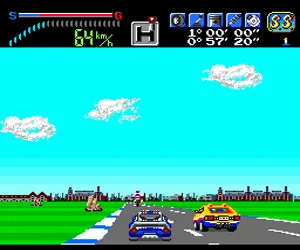
When you boot up Victory Run, the title screen appears with a simple prompt to press Start. Doing so brings you to a stage selection screen where you pick one of several long courses. Each course has a time limit, and your goal is to reach the end before it runs out. The core loop is straightforward: accelerate, steer left and right to stay on the road, and avoid oncoming traffic and road hazards.
Your car has two gears - low and high - which you toggle by pressing the A button (X on your keyboard). Low gear gives better handling at slower speeds, while high gear lets you hit top velocity but makes corners tougher. Pay attention to the road signs; they hint at upcoming curves. If you crash, you lose a few seconds and resume from a nearby spot, but too many crashes will burn your time away. There is no pit stop or fuel mechanic - it is pure arcade racing.
New players should start with the first course, Pacific, which is the shortest and most forgiving. Focus on staying in your lane and lifting off the gas before tight turns rather than braking. Victory Run is all about rhythm and memorizing when to shift gears. Once you can finish Pacific comfortably, try the longer courses like Atlantic or Atlantic II for a real challenge.
CONTROLS
Controls
- Arrow Keys: D-Pad / Movement
- X: I button
- S: II button
- Enter: Run / Start
- V: Select
Victory Run FAQ
Who developed Victory Run?
Hudson Soft developed Victory Run for the NEC TurboGrafx-16. They were responsible for many of the platform's most memorable titles, including the Bomberman series.
What type of game is Victory Run?
Victory Run is a racing game that uses a behind-the-car perspective similar to Sega's OutRun. Players drive through long stretches of road, avoiding traffic and reaching the finish line before time expires.
Roughly how long does it take to finish Victory Run?
A single playthrough of Victory Run can be completed in roughly 10 to 15 minutes. The game is intentionally short and meant for quick arcade-style sessions, though mastering all courses takes practice.
You may also like
All NEC TURBOGRAFX-16 games











GAME INFO
- Platform
- NEC TURBOGRAFX-16
- Genre
- Racing
- Publisher
- Hudson Soft
- Developer
- Hudson Soft
- Released
- 1987
- Players
- 1
- Region
- USA
COMMENTS (0)
No comments yet. Be the first to share your thoughts.