CHOOSE A VERSION
2 versions · same consoleChoose an original release, regional version, revision, bootleg or clearly labelled ROM hack/mod, then press Play. Hacks may change the gameplay. Switching versions restarts the player.
Selected: Default · USA · USA
The game loads when you press Play · press “Play Now” inside the game if it asks.
Time Cruise (USA)
Time Cruise
Time Cruise: TG16 Arcade
- NEC TURBOGRAFX-16
- Arcade
- 5· 0 votes
GAME INFO
- Platform
- NEC TURBOGRAFX-16
- Genre
- Arcade
- Region
- USA
How to play Time Cruise online
Getting Started
Time Cruise is a pinball game, so the first thing you do is press a button to launch the ball onto the playfield. Use the Arrow Keys to nudge the table (if the game supports it) and the flipper buttons to keep the ball in play. On the TurboGrafx-16, pinball controls typically map to the A and B buttons for the left and right flippers, but check the in-game display for any specific layout.
The core loop is simple: aim for high-scoring targets, try to complete any visible objectives, and avoid losing your ball. Sci-fi themed pinball often includes multiball phases or ramp sequences that award extra points. Since this is a commercial USA release, menus and text are in English, so you can jump right in without a language barrier. There is no story to follow - just play for a high score.
CONTROLS
Controls
- Arrow Keys: D-Pad / Movement
- X: I button
- S: II button
- Enter: Run / Start
- V: Select
Time Cruise FAQ
Roughly how long does it take to finish Time Cruise?
Time Cruise is a pinball game with no definitive ending; sessions can last from a few minutes to longer depending on player skill. There is no final boss or credits roll, so playtime is open-ended.
Is Time Cruise exclusive to NEC TURBOGRAFX-16 or did it appear on other systems?
It appears to have been released exclusively for the TurboGrafx-16 in North America. No known ports or versions for other platforms exist.
What makes Time Cruise stand out among NEC TURBOGRAFX-16 titles of its era?
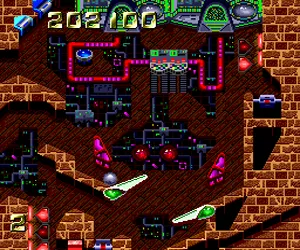
Pinball games were rare on the TurboGrafx-16, and Time Cruise's sci-fi theme sets it apart from the platform's typical action and shooter lineup. Its flashy playfield and space motifs give it a unique visual identity.
You may also like
All NEC TURBOGRAFX-16 games











GAME INFO
- Platform
- NEC TURBOGRAFX-16
- Genre
- Arcade
- Region
- USA
COMMENTS (0)
No comments yet. Be the first to share your thoughts.