CHOOSE A VERSION
2 versions · same consoleChoose an original release, regional version, revision, bootleg or clearly labelled ROM hack/mod, then press Play. Hacks may change the gameplay. Switching versions restarts the player.
Selected: Default · USA · USA
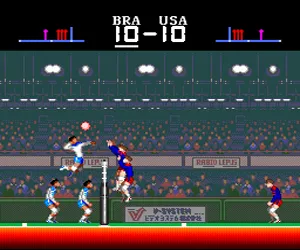
The game loads when you press Play · press “Play Now” inside the game if it asks.
Super Volleyball (USA)
Super Volleyball
About Super Volleyball
- NEC TURBOGRAFX-16
- Sports
- 5· 0 votes
GAME INFO
- Platform
- NEC TURBOGRAFX-16
- Genre
- Sports
- Publisher
- Video System
- Developer
- Video System
- Released
- 1991
- Region
- USA
How to play Super Volleyball online
To start playing Super Volleyball, first press Enter to get past the title screen. You'll be taken to a menu where you can choose between singles play against the computer or a two-player versus match. Use Arrow Keys to highlight your selection and press X to confirm. If you choose single-player, you'll then pick your team and start the first match.
The core loop is simple: serve the ball, rally with your opponent, and try to spike it down onto their side of the court. Use Arrow Keys to move your player left or right beneath the ball's shadow. Press X to jump or spike when the ball is near, and hold S while jumping to perform a powerful spike. Blocking is automatic if you time your jump in front of the opponent's attack. The first team to 15 points with a two-point lead wins the set.
New players should focus on positioning rather than button mashing. Watch the ball's trajectory and move your player early. If you are serving, press X to toss the ball, then press X again as it falls to hit it over the net. In doubles mode, the computer controls your partner, so you only need to worry about the player you control. The game has no tutorial or practice mode, so expect to learn by trial and error.
CONTROLS
Controls
- Arrow Keys: D-Pad / Movement
- X: I button
- S: II button
- Enter: Run / Start
- V: Select
Super Volleyball FAQ
Who developed Super Volleyball?
The arcade original was developed by Video System, but the specific developer of the TurboGrafx-16 port is not widely documented in available records.
Is Super Volleyball exclusive to NEC TURBOGRAFX-16 or did it appear on other systems?
Super Volleyball appeared on multiple platforms, including Sega Genesis and as an arcade cabinet. The TurboGrafx-16 version is one of several home ports.
Which regions was Super Volleyball released in?
The TurboGrafx-16 version was released in the United States, as indicated by the "USA" tag in the title. An arcade version and a Genesis port received releases in other territories.
You may also like
All NEC TURBOGRAFX-16 games











GAME INFO
- Platform
- NEC TURBOGRAFX-16
- Genre
- Sports
- Publisher
- Video System
- Developer
- Video System
- Released
- 1991
- Region
- USA
COMMENTS (0)
No comments yet. Be the first to share your thoughts.