The game loads when you press Play · press “Play Now” inside the game if it asks.
Sekigahara (Japan)
Sekigahara
What is Sekigahara?
- NEC TURBOGRAFX-16
- Strategy
- 5· 0 votes
GAME INFO
- Platform
- NEC TURBOGRAFX-16
- Genre
- Strategy
- Region
- Japan
How to play Sekigahara online
Getting Started
Sekigahara is a turn-based strategy game, so expect to spend most of your time moving units across a map and issuing orders between turns. When you boot the game, you will likely see a title screen with Japanese text. Use the D-Pad to navigate the menu and press the confirm button (X) to select a scenario. If you do not read Japanese, trial and error may be needed - look for numbers or familiar characters to start a new game.
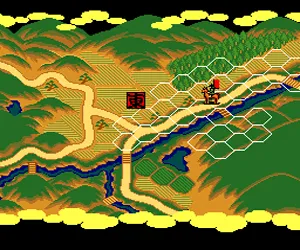
Once in the game, you control armies representing one of the historical factions. The core loop involves positioning your forces on a hex or grid-based battlefield, attacking when adjacent, and managing morale or supply lines. Pay attention to terrain and unit types; cavalry, infantry, and generals often have different strengths. Since menus are entirely in Japanese, it helps to have a translation guide or be prepared to experiment with cursor movements.
A useful tip: try pressing the cancel button (S) if you get stuck in a submenu - it often backs out to the previous screen. There is no English patch available for this title, so patience and a willingness to learn through play are essential for non-Japanese speakers.
CONTROLS
Controls
- Arrow Keys: D-Pad / Movement
- X: I button
- S: II button
- Enter: Run / Start
- V: Select
Sekigahara FAQ
What makes Sekigahara stand out among NEC TURBOGRAFX-16 titles of its era?
Sekigahara is one of the few historical wargames on the PC Engine, focusing on a single famous battle rather than a broader campaign. It offers a slower, more tactical experience compared to the action-heavy shooters and platformers that dominate the library.
In what year was Sekigahara originally released?
The exact release year is not widely documented in English sources; estimates place it in the early 1990s, but no confirmed date can be given without official records.
Roughly how long does it take to finish Sekigahara?
A single scenario can last anywhere from one to three hours depending on the player's familiarity with the mechanics and language barrier. Full completion of all scenarios might take five to ten hours.
You may also like
All NEC TURBOGRAFX-16 games











GAME INFO
- Platform
- NEC TURBOGRAFX-16
- Genre
- Strategy
- Region
- Japan
COMMENTS (0)
No comments yet. Be the first to share your thoughts.