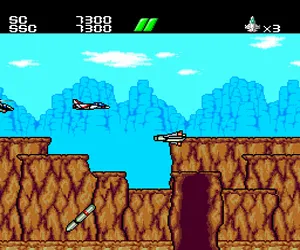
The game loads when you press Play · press “Play Now” inside the game if it asks.
Power Gate (Japan)
Power Gate
Power Gate on TG16
- NEC TURBOGRAFX-16
- Puzzle
- 5· 0 votes
GAME INFO
- Platform
- NEC TURBOGRAFX-16
- Genre
- Puzzle
- Region
- Japan
How to play Power Gate online
Getting Started
Power Gate is a Japanese-only game, so the menus and on-screen text will be in Japanese. When you first start the game, you will likely see a title screen and a simple menu with options like "Start" or "Continue." Press Enter (Start) to begin a new game. If you see a selection screen for difficulty levels, the default (usually the top option) is safe.
The core gameplay involves moving a character through a series of rooms or screens. Use the Arrow Keys to move, and press X (A button) to jump if needed. The B button (S key) is used to interact with objects like switches or gates. Your goal is to reach the exit of each stage, which may require opening doors, avoiding hazards, or collecting items. Pay attention to the environment - colored blocks or symbols often indicate what switch affects which gate.
If you get stuck, try pressing buttons on every object you see. The game may not have a pause feature, but you can use the Select button (V) to check your inventory or status. Since resources aren't documented, play carefully and remember that dying often sends you back to the start of the stage. Persistence and experimentation are key - just like many puzzle games of the era.
CONTROLS
Controls
- Arrow Keys: D-Pad / Movement
- X: I button
- S: II button
- Enter: Run / Start
- V: Select
Power Gate FAQ
Who developed Power Gate?
The developer of Power Gate is not widely documented in English sources. It was likely a smaller Japanese studio, but specific credits remain obscure without official materials.
Does Power Gate have a multiplayer or co-op mode?
No information suggests any multiplayer or co-op functionality. Like many HuCard puzzle games, it appears to be strictly a single-player experience.
Is Power Gate exclusive to NEC TURBOGRAFX-16 or did it appear on other systems?
Power Gate was released exclusively for the NEC Turbografx-16 in Japan. There are no known ports to other platforms, including the PC Engine's CD-ROM add-on.
You may also like
All NEC TURBOGRAFX-16 games











GAME INFO
- Platform
- NEC TURBOGRAFX-16
- Genre
- Puzzle
- Region
- Japan
COMMENTS (0)
No comments yet. Be the first to share your thoughts.