CHOOSE A VERSION
2 versions · same consoleChoose an original release, regional version, revision, bootleg or clearly labelled ROM hack/mod, then press Play. Hacks may change the gameplay. Switching versions restarts the player.
Selected: Default · USA · USA
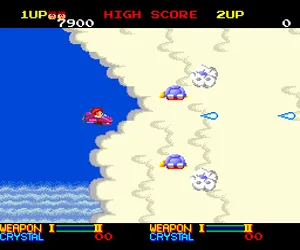
The game loads when you press Play · press “Play Now” inside the game if it asks.
Ordyne (USA)
Ordyne
Ordyne Overview
- NEC TURBOGRAFX-16
- Shooter
- 5· 0 votes
GAME INFO
- Platform
- NEC TURBOGRAFX-16
- Genre
- Shooter
- Publisher
- Namco
- Developer
- Namco
- Released
- 1988
- Region
- USA
How to play Ordyne online
Getting Started
When you first load Ordyne, the title screen appears. Press the Start button (Enter) to begin the game. There are no lengthy menus - just select your options (if any) and jump straight into the action. The game is a vertical-scrolling shooter, so you'll control your craft at the bottom of the screen, moving in all directions with the arrow keys.
Your core task is to shoot down everything that moves while avoiding enemy bullets and obstacles. Collect power-up items that appear after destroying certain enemies - these can increase your shot spread, speed, or give temporary shields. Each stage ends with a boss that has a distinct attack pattern; learn it and find the safe spots to defeat it. If you get hit once, you lose a life, so careful movement is key. The game is straightforward: survive, score points, and see how far you can get.
CONTROLS
Controls
- Arrow Keys: D-Pad / Movement
- X: I button
- S: II button
- Enter: Run / Start
- V: Select
Ordyne FAQ
Who developed Ordyne?
Ordyne was developed by Namco, originally for the arcade in 1988.
What makes Ordyne stand out among NEC TURBOGRAFX-16 titles of its era?
It's one of the more colorful and accessible shoot-em-ups on the system, retaining the look and feel of Namco's arcade original without excessive complexity.
Is Ordyne exclusive to NEC TURBOGRAFX-16 or did it appear on other systems?
It first appeared in arcades, then was ported to the TurboGrafx-16 (PC Engine in Japan). No other home console versions are widely documented.
You may also like
All NEC TURBOGRAFX-16 games











GAME INFO
- Platform
- NEC TURBOGRAFX-16
- Genre
- Shooter
- Publisher
- Namco
- Developer
- Namco
- Released
- 1988
- Region
- USA
COMMENTS (0)
No comments yet. Be the first to share your thoughts.