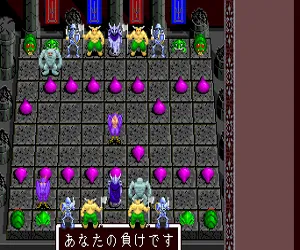
The game loads when you press Play · press “Play Now” inside the game if it asks.
Morita Shougi PC (Japan)
Morita Shougi PC
Morita Shougi PC: TG16 Board Game
- NEC TURBOGRAFX-16
- Board Game
- 5· 0 votes
GAME INFO
- Platform
- NEC TURBOGRAFX-16
- Genre
- Board Game
- Region
- Japan
How to play Morita Shougi PC online
Getting Started
Upon booting Morita Shougi PC, you'll face a menu entirely in Japanese. Use the D-Pad to navigate and the X button to confirm selections. The main options typically include starting a new game versus the computer or a second player, adjusting game settings like difficulty or handicap, and viewing replay or tutorial modes if available.
Shougi plays similarly to Western chess but with unique rules: pieces can be dropped back onto the board after capture, and the board is 9x9. Your goal is to checkmate the opponent's king. Begin by selecting your side (sente or gote) and make moves by highlighting a piece with the D-Pad, pressing A to pick it up, moving to the target square, and pressing A again to place it. Captured pieces are held in your hand and can be dropped on any empty square (subject to drop restrictions).
If you're new to shougi, start with the lowest difficulty and focus on basic tactics like controlling the center and promoting pieces when they enter the opponent's camp. The game does not have English translation, so know that common menu items like "対局" (game), "設定" (settings), and "終了" (quit) will be your navigation anchors. Patience with the language barrier is rewarded with a deep, classic strategy experience.
CONTROLS
Controls
- Arrow Keys: D-Pad / Movement
- X: I button
- S: II button
- Enter: Run / Start
- V: Select
Morita Shougi PC FAQ
Who developed Morita Shougi PC?
Morita Shougi PC was developed by Naxat Soft and published by the same company for the NEC TurboGrafx-16. The specific development team details are not widely documented.
Is Morita Shougi PC exclusive to NEC TURBOGRAFX-16 or did it appear on other systems?
Morita Shougi PC is exclusive to the PC Engine platform in Japan. While the Morita Shougi series exists on other Japanese home computers and consoles, this particular version was made for the TurboGrafx-16 only.
Roughly how long does it take to finish Morita Shougi PC?
There is no fixed story completion time; a single match against the computer can last from 20 minutes to over an hour depending on speed and skill level. Mastery and deep play can take dozens of hours.
You may also like
All NEC TURBOGRAFX-16 games











GAME INFO
- Platform
- NEC TURBOGRAFX-16
- Genre
- Board Game
- Region
- Japan
COMMENTS (0)
No comments yet. Be the first to share your thoughts.